AI Spend Management: How Enterprises Track and Control It
Learn how to manage AI spend: define what counts, attribute LLM costs to teams, set budgets and alerts, and keep audit-ready records across every provider.
 Axiom Studio November 16, 2026 13 min read

On this page
AI spend management means seeing every dollar your organization spends on AI, whether it comes from model APIs, cloud compute or software seats. It also means tying each dollar to a team, a use case and an outcome, and enforcing limits while the work is running. The invoice alone cannot do this. The record that explains the invoice has to be captured at the moment each model call is made, which is why we built Axiom Studio’s LLM Gateway to route, meter and log those calls in one place.
This guide covers what counts as AI spend, how to collect and attribute it, how to set budgets and catch surprises, and how to cut cost without losing governance. It is written for the teams that carry this problem: engineering leads, IT security, compliance and finance partners.
TL;DR
- AI spend is scattered across model APIs, cloud compute, embedded SaaS features and team-bought subscriptions. Start by agreeing on one definition and one accountable owner.
- Attribute every API key to one team, application and cost center. Report as showback first, then move to chargeback.
- Track cost per inference, per user and per successful outcome, not only the monthly total.
- Budget alerts do not stop consumption by themselves. Limits must be enforced in the platform that routes the calls.
- The same per-request records that explain cost also give compliance teams their audit trail.
What counts as AI spend
Most teams underestimate AI spend because they only count the line item labeled “AI.” McKinsey’s October 2026 explainer says organizations should first identify every source of AI spend before scaling beyond pilots. It names three: AI provider spend, the cloud compute cost behind each model call, and AI embedded in SaaS tools. It also says spend nearly quadruples on average when a project moves from pilot to production, so the gap between what you see in a pilot and what you pay in production is large.
The FinOps Foundation maps each channel to the unit it is billed in:
| Spend channel | Billing unit |
|---|---|
| Direct model APIs | Per token |
| Cloud model services | Per token, call or hour |
| Model routers | Credits |
| AI features inside SaaS | Per seat or add-on |
| GPU providers | GPU hours |
| Owned AI infrastructure | Capital and power |
That table is the core of the problem. Tokens, seats, credits and GPU hours do not add up until you normalize them. Info-Tech Research Group’s research adds that spend sits in hyperscaler bills, SaaS add-ons, embedded copilots and direct purchases by business teams with no single system of record. Invoices also rarely say which initiative or team drove the usage, so allocation ends up reverse-engineered after the money is gone.
If you are new to tokens, our explainer on why the same text costs differently across models shows how the billing unit works. Our LLM token cost comparison shows how large the price spread between models can be.
Why AI costs are harder to track than cloud costs
Cloud spend usually follows infrastructure you provisioned. AI spend follows behavior. A prompt that grows, a retry loop, or an agent that runs around the clock changes the bill without anyone deploying anything new. Two similar teams can generate very different costs for the same reason.
Three patterns make this worse:
- Agents multiply calls. Deloitte’s 2026 lifecycle economics report notes that one business task can span several models and tools, so cost must be followed across the full task path, including failures and retries.
- Vendors multiply. Each new model provider, tool server and agent framework brings its own pricing and its own invoice. We cover this in AI vendor sprawl.
- Shadow usage. Coding assistants and other tools adopted by individual developers never reach a central budget. Our piece on shadow AI in your SDLC lists what to measure.
Step 1: Assign an owner and a shared definition
Before you touch data, decide two things. First, what counts as AI spend in your organization. Second, who owns it. Info-Tech’s guidance is that naming one accountable owner and agreeing on who approves spend turns a one-time audit into a repeatable governance habit.
A workable definition covers four buckets: standalone AI platforms, AI features inside software you already license, the data and integration infrastructure that supports AI, and external AI services such as model APIs. Write it down in one page and get Finance, IT and engineering to sign it.
Aim for broad coverage, not perfection. Info-Tech recommends targeting about 80% coverage first. A tracker that captures most spend this quarter beats a perfect one that ships next year.
Step 2: Collect spend from every source
The FinOps Foundation’s guidance is to ingest four kinds of data: cloud billing data, model provider usage exports, SaaS invoices and AI observability data. Where supported, it recommends the FOCUS billing format. FOCUS is an open specification for cost data that lets different providers’ records be compared. The Foundation says version 1.5, scheduled for ratification in December 2026, will add model identity, input and output labels, cache status and requester attribution.
There are two ways to collect usage data:
- After the fact, from invoices and exports. This is fine for a first baseline. It is slow, and the invoice rarely tells you the use case.
- At the point of the call, from a gateway. Every request passes through one layer that records who made it, which model answered, how many tokens were used and what it cost.
The FinOps Foundation’s guide to building a generative AI cost and usage tracker describes the do-it-yourself version of the second approach: a dedicated database recording input and output tokens for each API call, plus a month-end process to attribute usage to each key and use case. That is real engineering work to build and maintain across providers.
Our approach is to put that record in the routing layer instead. Axiom Studio’s platform includes cost tracking and multi-provider LLM routing, so spend from different model providers lands in one record, and a team does not need to build and maintain a tracker of its own.
Step 3: Attribute costs to teams, products and workloads
Attribution is where most programs stall. The FinOps Foundation recommends these practices:
- Tag spend with Project, Environment, Workload, Team, CostCenter, Purpose, Criticality and ShutdownEligible.
- Map each API key to exactly one team, application and cost center.
- Report through showback first, meaning teams see their costs but are not billed. Move to chargeback, where costs are billed back to their budgets, once the data is trusted.
The one-key-per-owner rule is the simplest and most effective. A shared key makes every later question unanswerable. If three products use the same key, you cannot say which one is expensive.
Raw tags are only part of the answer. Enrich each cost record with the feature, customer, workflow or team behind it. That context is what turns a pile of cost data into something a leader can act on.
Pick the unit that matches the decision
Total monthly spend is a poor management metric because it rises with success. Use unit costs instead. The FinOps Foundation recommends tracking cost per inference, per user and per successful outcome. A support assistant that costs more in total but resolves tickets at a lower cost each is improving, and a total-only view would flag it as a problem.
For engineering teams, our six metrics for AI ROI and developer productivity pairs cost with output measures.
Step 4: Set budgets, forecasts and alerts
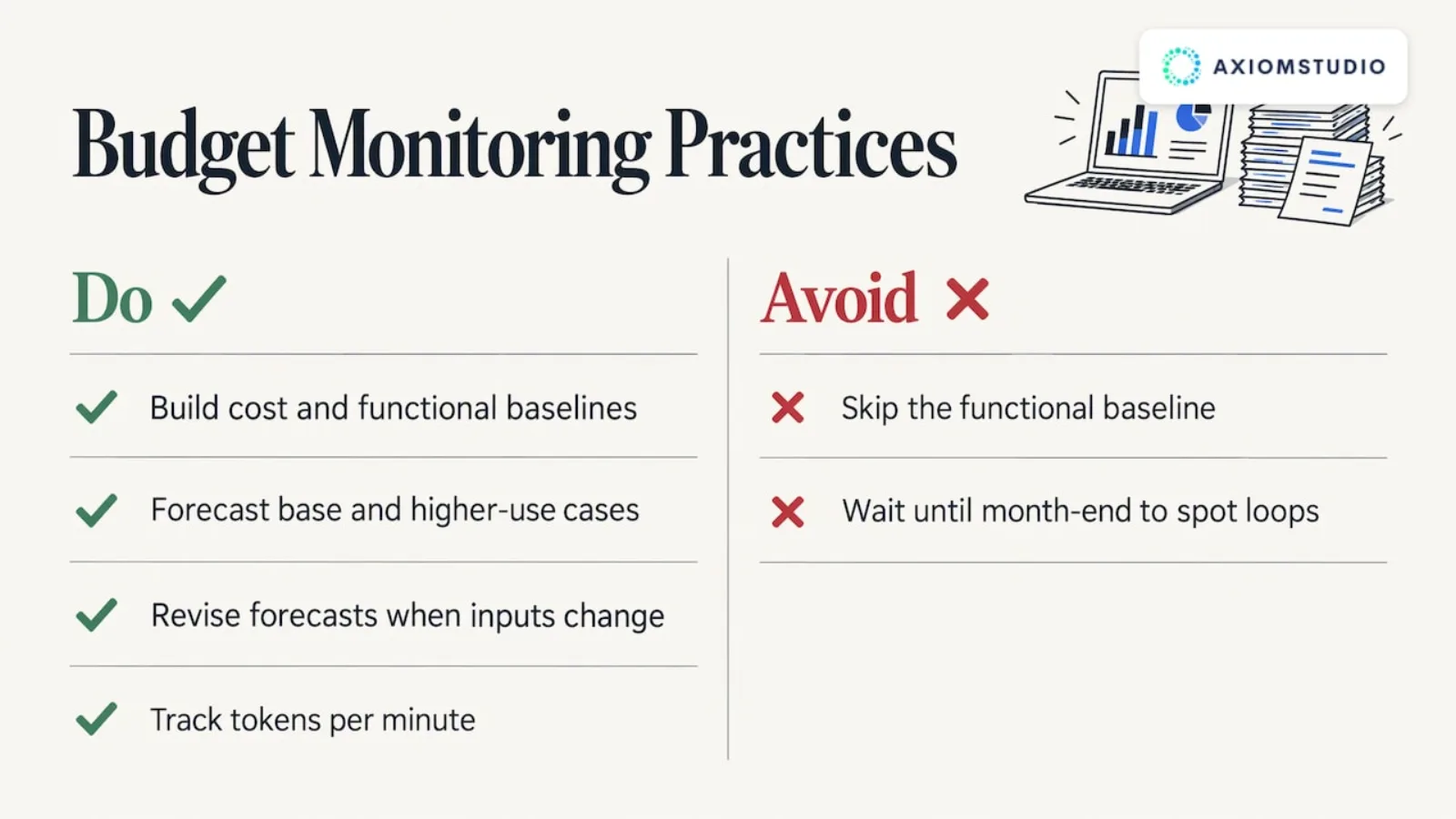
Begin with baselines. The FinOps Foundation recommends a cost baseline built from invoices and usage, and a functional baseline covering response time, accuracy, reliability and request volume, before setting any cost target. Without the functional baseline, a cost cut can quietly degrade quality.
A sound forecast has a base case and a higher-consumption case. Deloitte’s report builds both from task volumes, tokens and calls per task, retries, cache reuse, tool charges and contractual commitments. It advises revising the forecast whenever application design, model choice, pricing or demand changes, and reconciling telemetry with supplier invoices.
Watch for the events that actually blow budgets. The FinOps Foundation lists runaway training jobs, agent loops, prompt changes that double token use and model switches that change the price. It suggests tracking tokens per minute at the application level, so a loop shows up in minutes rather than at month end.
A useful dashboard answers these questions at a glance. Oracle’s documentation for reviewing AI costs lists weekly trends, provider share, remaining budget, projections, top spenders, spending spikes and anomalies as the views to include.
Alerts are not limits
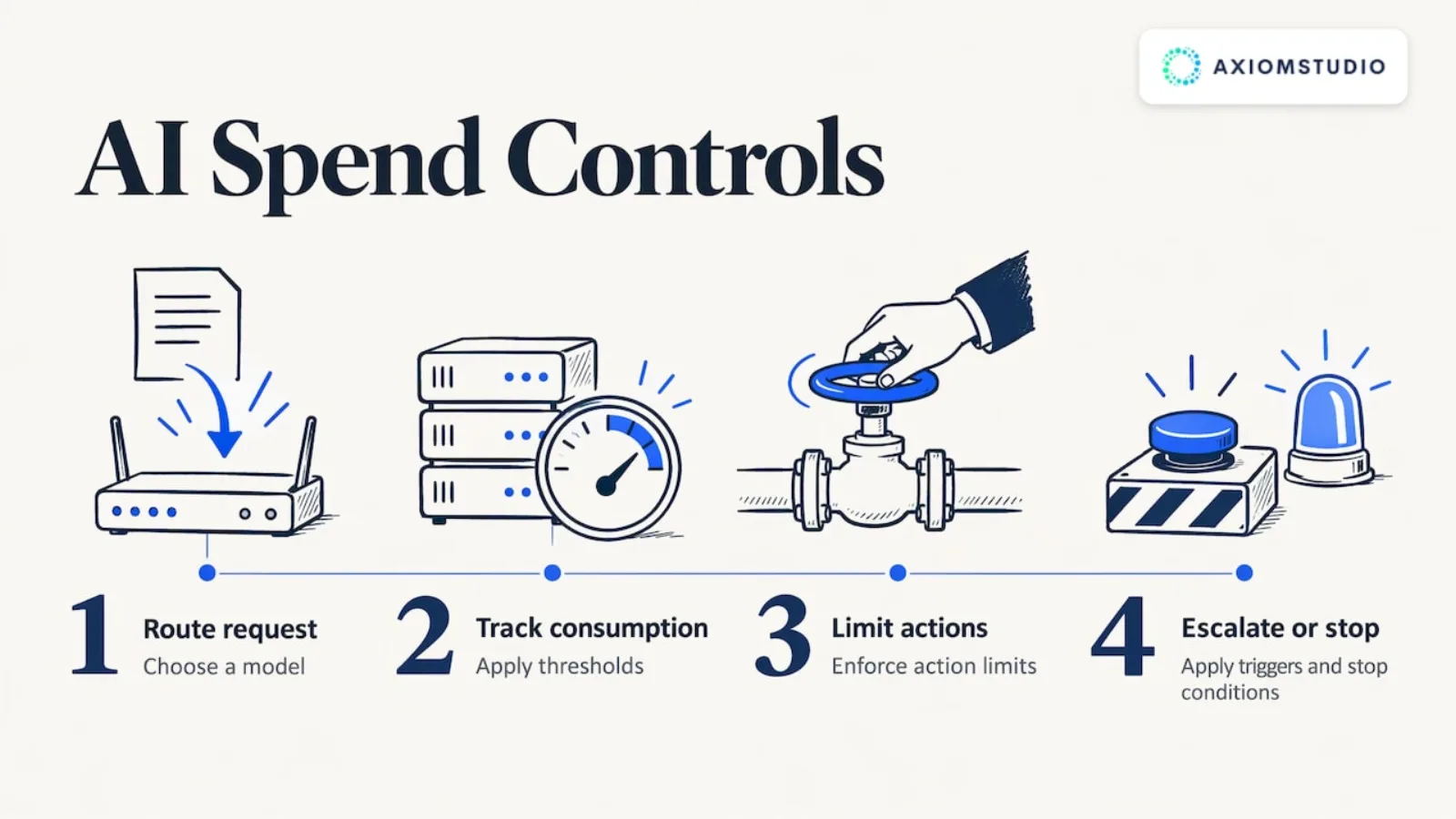
Deloitte makes a point that catches many teams. Azure budget thresholds, it notes, do not stop resource consumption. A written policy or an email alert does not stop an agent in a loop. The limit has to be enforced where the request is made.
That is why spend control belongs in the layer that routes the traffic. PwC’s guidance on the economics of trusted AI says the same thing in architectural terms: build economic controls into the design, including model routing, consumption thresholds, action limits, escalation triggers and stopping conditions.
Step 5: Reduce spend without losing performance
Cutting cost does not mean banning tools. Bain & Company argues for managing spending by workflow rather than through blanket per-user caps:
- Move routine work to cheaper models, or away from an LLM entirely.
- Encourage high-value workflows whose costs are predictable.
- Ring-fence open-ended agents and any workload with no clear stopping point.
Bain also reports that a new agentic workflow may initially cost about ten times more than it ultimately should, and that better architecture, model selection and more deterministic workflow design can often remove most of that excess. Expect the first version of any agent to be the most expensive one.
The FinOps Foundation’s guidance on optimizing generative AI usage adds the technical levers: route simpler queries to smaller models, and use batching, caching and token trimming. Deloitte UK’s survey, cited in the same lifecycle economics report, found the most common AI uses are searching for information, drafting emails and creating summaries. That is everyday work that rarely needs the most capable model, which supports sending each request to the least expensive approved model that meets quality, latency and risk thresholds.
This is where multi-provider routing pays off. With one routing layer, switching a workload to a cheaper approved model is a policy change, not a code rewrite in every application. Our AI FinOps overview explains token economics and budget controls in more depth.
Step 6: Turn spend records into an audit trail
Spend data and compliance data are the same data seen from two sides. A record that says which user or team called which model, when, with what tokens and at what cost also answers the auditor’s question of who did what. PwC recommends continuous evidence collection through telemetry, monitoring and observability, and says to define agent boundaries: which tasks agents may perform, what data they can access, what resources they can consume, how long tasks may run, economic thresholds, and when a human must step in.
If you keep cost records in one system and access logs in another, you will reconcile them by hand at every audit. Capturing both at the same layer avoids that. Axiom Studio provides real-time audit trails and policy-based access controls alongside cost tracking, and our stated goal is 100% audit trail coverage of AI actions. For where this fits in a wider program, see our AI governance maturity model.
Where Axiom Studio fits
One platform handles the three jobs this guide describes: seeing spend, controlling it and proving it. Axiom Studio is a Kubernetes-native platform that unifies models, tools and agent interactions under one governance layer. The LLM Gateway routes requests across providers, and cost tracking and policy-based access controls apply to every call. Real-time audit trails cover the resulting actions.
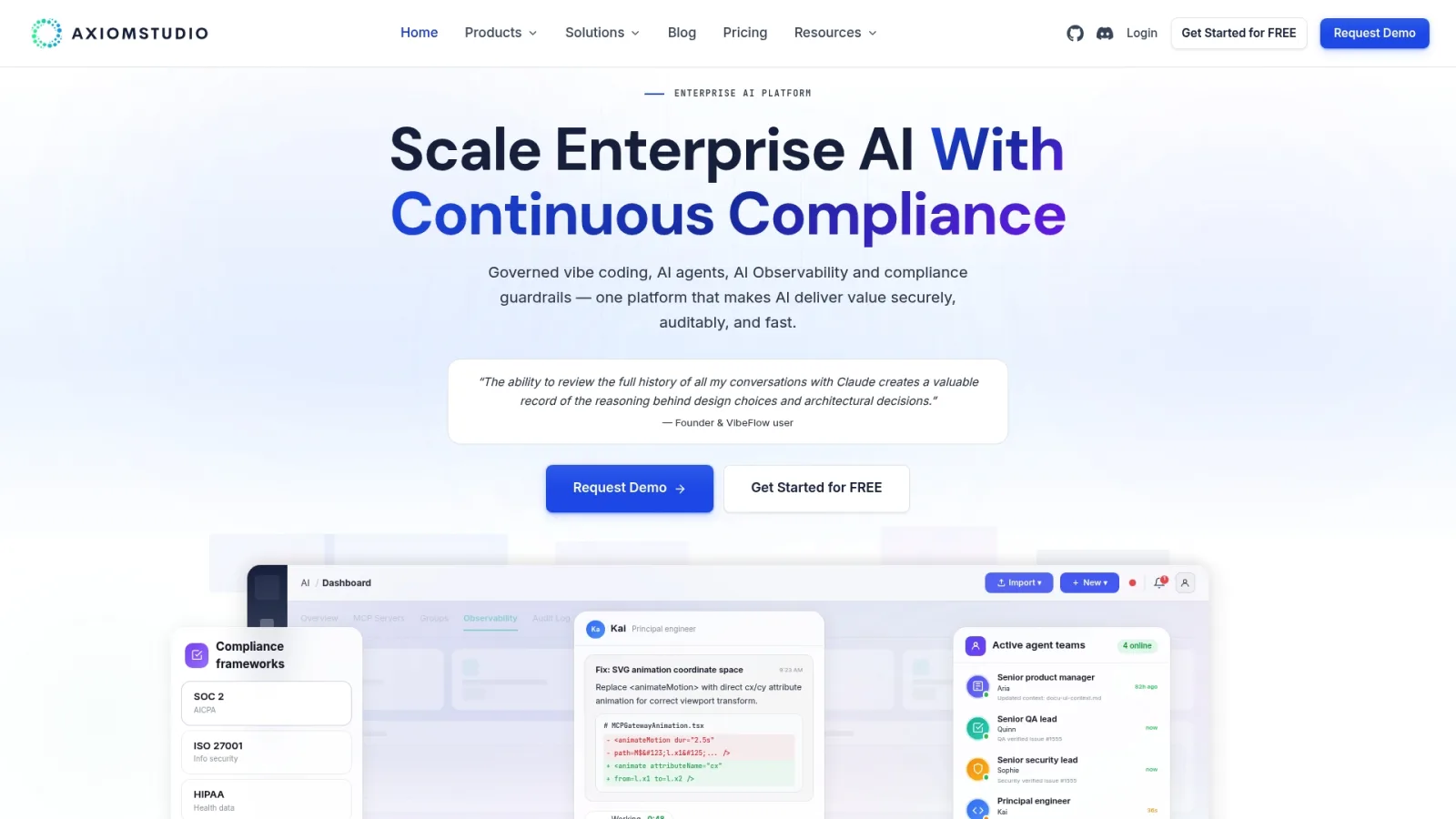
The pricing page lists a free Starter plan, Pro at $20 per month and Team at $49 per seat per month with a three-seat minimum, plus an Enterprise plan. For a walkthrough with your own provider mix, you can request a demo.
A 30-day starting plan
- Week 1: Publish the one-page definition of AI spend and name the owner. List every provider, subscription and API key you know of.
- Week 2: Pull the last three months of invoices and usage exports. Build the cost baseline and the functional baseline for your top three workloads.
- Week 3: Give each API key one owner, application and cost center. Route production traffic through a single layer so new usage is recorded per request.
- Week 4: Publish the first showback report by team and use case. Set a base and a high-consumption forecast for each initiative, and define enforced limits for any agent without a clear stopping point.
Repeat monthly. After two or three cycles, you will know which workloads earn their cost and which should be retired or moved to a cheaper model.
Sources
- Managing AI costs in the enterprise, McKinsey
- Establish End-to-End Visibility Over AI Spend, Info-Tech Research Group
- FinOps for AI Overview, FinOps Foundation
- How to Build a Generative AI Cost and Usage Tracker, FinOps Foundation
- Optimizing GenAI Usage, FinOps Foundation
- The lifecycle economics of AI, Deloitte UK
- Reviewing AI Costs in Fusion EPM, Oracle
- The economics of trusted AI, PwC
- Managing Token Spending without Choking Off Opportunity, Bain & Company
Recommended
- Why Enterprises Need an AI Control Plane
- AI Operations (AIOps): Managing AI Systems at Enterprise Scale
- Why Enterprise AI Governance Matters in 2026
- AI Risk Management Beyond Checkbox Compliance
Frequently Asked Questions
How do I track LLM costs across multiple providers?
Record every request at a single routing layer, capturing user, team, model, provider, tokens and cost. Then map each API key to one owner and cost center. Billing exports from each vendor can fill in the infrastructure and SaaS costs that do not pass through the gateway.
What is the difference between showback and chargeback?
Showback shows each team what its AI usage costs without billing it. Chargeback bills that cost to the team's budget. The FinOps Foundation recommends starting with showback, because it lets you fix data quality before money moves between budgets.
Why did our AI costs jump after launch?
Production usage is typically much heavier than pilot usage. McKinsey reports that spend nearly quadruples on average when moving from pilot to production. Common causes are larger prompts, retries, agent loops and a switch to a more expensive model, so track tokens per minute at the application level to catch them early.
Can budget alerts stop runaway AI spend?
An alert tells you something is wrong, but it does not stop consumption on its own. Limits such as quotas, action caps and stopping conditions must be enforced in the platform that routes the requests. Written policies alone will not halt an agent mid-loop.
Which metrics matter most for AI cost management?
Use unit metrics: cost per inference, per user and per successful outcome, alongside total spend. Pair them with quality measures such as response time and accuracy, so a cheaper model that performs worse does not look like a win.
Written by
Axiom Studio