Run the Same Agent Task from Terminal and VS Code
Learn how to move agent work between a terminal and VS Code without losing ownership, logs, or task state.
 Axiom Studio November 13, 2026 5 min read
On this page
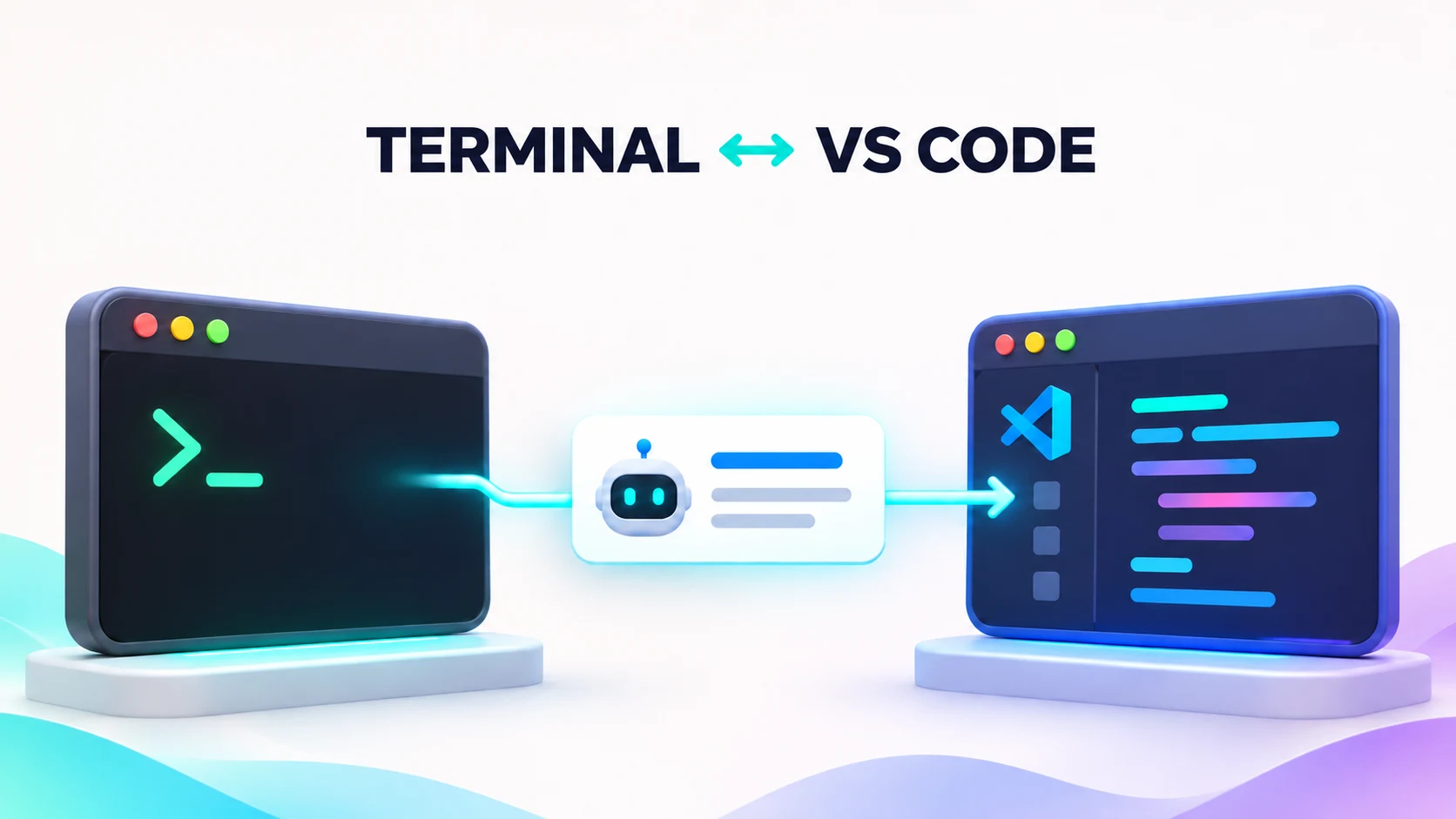
AI coding work often starts in one place and ends in another. A developer may launch an agent from a terminal, then open VS Code to review files, read logs, or continue the task with the team.
The hard part is not opening both tools. It is keeping one clear owner, one task record, and one final change set.
Short answer: you can run the same AI agent task from the terminal and VS Code, but only as a handoff. Keep one VibeFlow work item as the source of truth, stop the first runner, and resume from the same branch, worktree, and execution log in the other surface.
What VibeFlow shares—and what it does not
VibeFlow Cloud holds the project, work items, status, context, and execution logs. The VS Code extension is a cockpit for that shared data. The standalone vibeflow-cli is a terminal-first way to manage sessions.
The two surfaces do not turn one running process into two. When CLI integration is enabled, the extension hands session lifecycle to the CLI. That means the safe pattern is a handoff, not two agents editing the same files at the same time.
The VibeFlow getting-started guide recommends the VS Code flow for most new users. The CLI is optional and useful for teams that prefer a terminal TUI.
Use one task record as the source of truth
Start with a small work item, such as “Add an empty-state message to the jobs page.” Put the goal, files in scope, test command, and done rule in that item.
The work item then becomes the handoff record. It can show:
- who claimed the task
- its current status
- files examined or changed
- test results
- the final commit
- comments and open questions
VibeFlow claims work items atomically. That helps stop two agents from taking the same item at once. Execution logs are append-only and remain available across sessions.
A safe terminal-to-editor flow
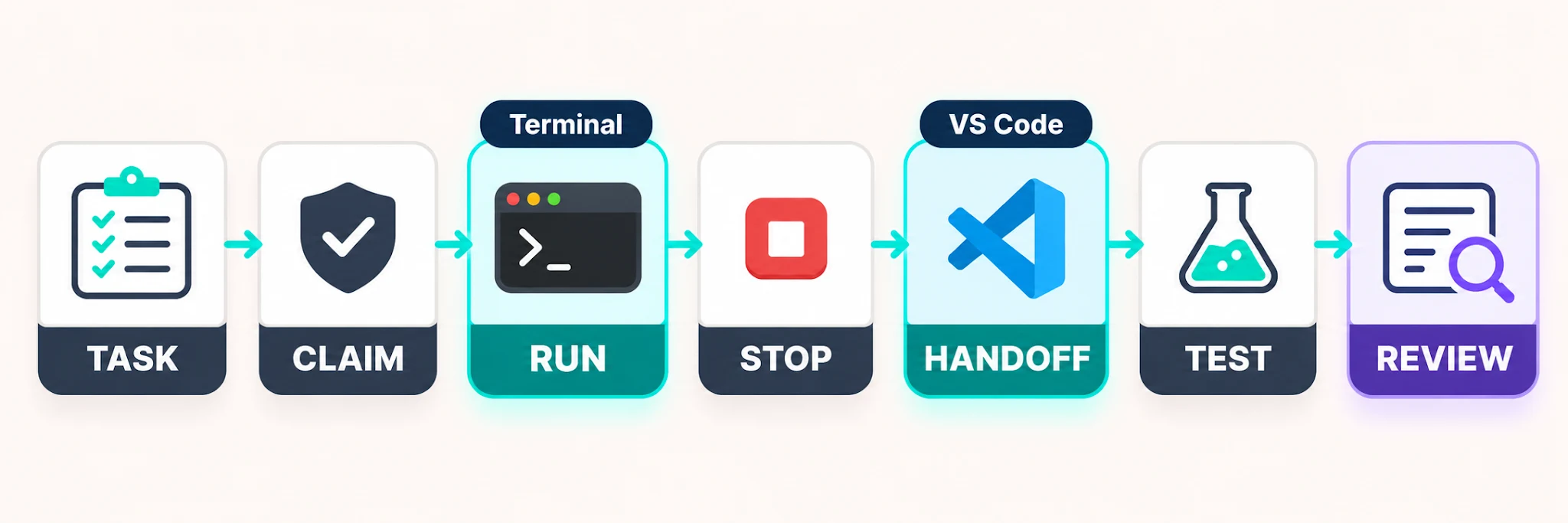
- Create or choose one work item.
- Start one agent from VS Code or the CLI.
- Let that agent claim the item before it edits files.
- Read its log and diff from the other surface.
- Stop the first runner before starting a replacement.
- Resume from the same work item, branch, and working directory.
- Run the test again before review.
This flow gives the next runner the task record and log. It does not prove that every local process has stopped. Check the active session list before a handoff.
What the handoff preserves
A clean handoff keeps four kinds of state together:
- Task state says what must be done and what “done” means.
- Agent state shows the active session, model, persona, and last heartbeat.
- Code state names the branch, worktree, changed files, and commit.
- Evidence state holds commands, test output, comments, and review decisions.
If one part is missing, the next runner has to guess. A task without code state may restart on the wrong branch. A diff without task state may solve the wrong problem. A test result without the exact commit cannot prove the final change passed. Treat these records as one small handoff package.
Before stopping the first runner, add a short final log entry: what changed, what passed, what failed, and what remains. The replacement runner should read that entry before it claims more work. This small pause is cheaper than two agents building different answers.
The safe path stops the first runner before the task moves from terminal to VS Code.
CLI handoff setting
The VS Code extension can delegate session management to vibeflow-cli with this workspace setting:
{
  "vibeflow.cli.enabled": true
}
When enabled, the Agent Fleet launch action changes to Open CLI. The settings also let you choose an absolute CLI path and pass an MCP name or root path. Close an existing CLI terminal before changing launch flags, because a running process keeps the options it started with.
Avoid the three common conflict cases
Two live runners on one working tree. Even with one claimed task, a second manual process can still edit the same files. Use one runner or separate Git worktrees. For the ownership rules behind this, see shared agent workspaces need clear ownership.
A stale session that still owns work. VibeFlow sessions publish heartbeats. If a session stops heartbeating, its claimed work can be released. Confirm the old process is gone before another runner begins.
A branch change with no clear handoff. Keep the work item, branch, and working directory together. If the branch changes, say why in the item and link the new pull request.
What to check before you call the task done
Review the execution log, the Git diff, and the test output. Confirm that only one final branch owns the change. Then move the work item through review instead of treating a quiet terminal as proof of completion.
For a deeper look at session state, see Agent Sessions. To set up the editor workflow, follow Getting Started with VibeFlow. You can also review the VibeFlow feature tour, the open-source projects on GitHub, and the vibeflow-cli technical guide for LLM gateways.
Keep the handoff boring
A good handoff should feel plain: one task, one owner, one branch, one log, and one review path. That is what lets developers move between terminal and editor without losing the story of the work.
Frequently Asked Questions
Can the same AI agent task move between a terminal and VS Code?
Yes. Use one VibeFlow work item as the source of truth, stop the first runner, and resume from the same task, branch, worktree, and execution log in the other surface.
Do VS Code and vibeflow-cli run the same agent process twice?
No. When CLI integration is enabled, the VS Code extension hands session lifecycle to the CLI. The safe pattern is a handoff, not two agents editing one working tree at once.
What should an agent handoff record contain?
Keep task state, active session and heartbeat, branch and changed files, commit information, commands, tests, comments, review decisions, and open questions together.
How do you avoid two agents editing the same files?
Let one runner claim the work item, stop it before starting a replacement, and use separate Git worktrees whenever two processes must work in parallel.
What setting enables CLI session management in VS Code?
Set vibeflow.cli.enabled to true in the workspace settings, choose an absolute CLI path if needed, and close an existing CLI terminal before changing launch flags.
Written by
Axiom Studio