Build an MCP Registry Before Agent Gets Tools
Create a simple MCP registry that records owners, versions, tools, access, approvals, reviews, and a safe shutdown path.
 Axiom Studio November 11, 2026 4 min read
On this page
MCP makes it easy to give agents new tools. That speed is useful. It can also hide risk. A team may add a server today, then forget who owns it, what data it can reach, or how to turn it off.
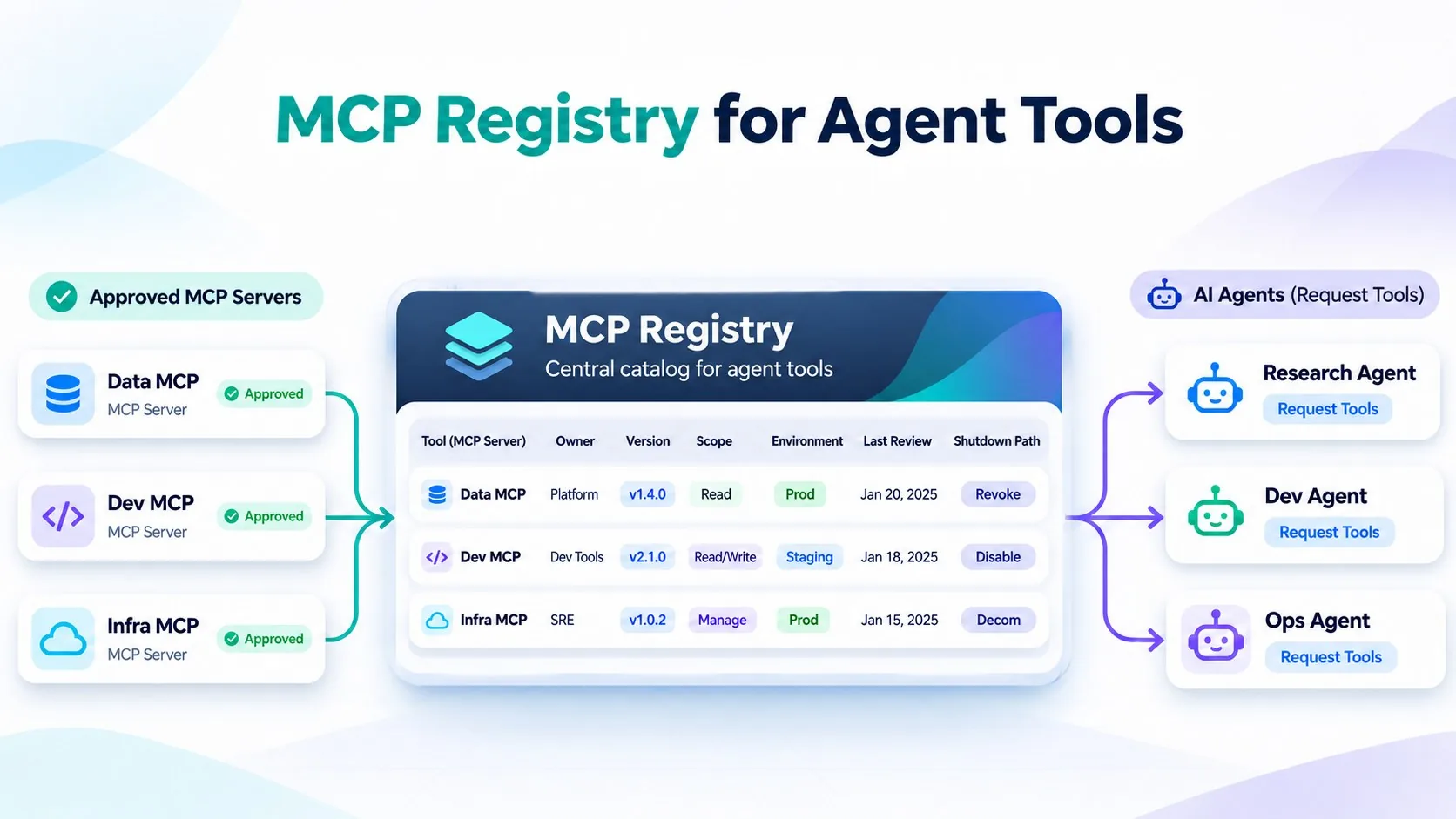
Build a registry before the list grows. An MCP registry is the company record of every approved MCP server: its owner, version, tools, data access, approvals, and shutdown path. It does not need to be a large platform. It needs to be the one place where a team can answer: What is approved, who owns it, and which agents may use it?
Why an MCP registry comes first
An MCP server can expose many tools behind one connection. A simple allowlist is not enough. Teams also need the server version, tool names, scopes, data reached, environment, approval rule, review date, and shutdown path.
The official MCP Registry authorization guide separates reading registry data from publishing it. Your company registry should add its own checks for who can approve a server and who can bind it to an agent.
The minimum registry record
| Field | Record | Why it matters |
|---|---|---|
| Identity | Server ID, version, owner | Shows what is running and who answers for it. |
| Access | Tools, scopes, data, environment, approved agents | Limits what each agent can reach. |
| Control | Approval rule, last review, expiry date | Makes access a reviewed choice that lapses unless renewed. |
| Exit | Disable and rollback path | Lets the team stop access fast. |
Use one admission flow
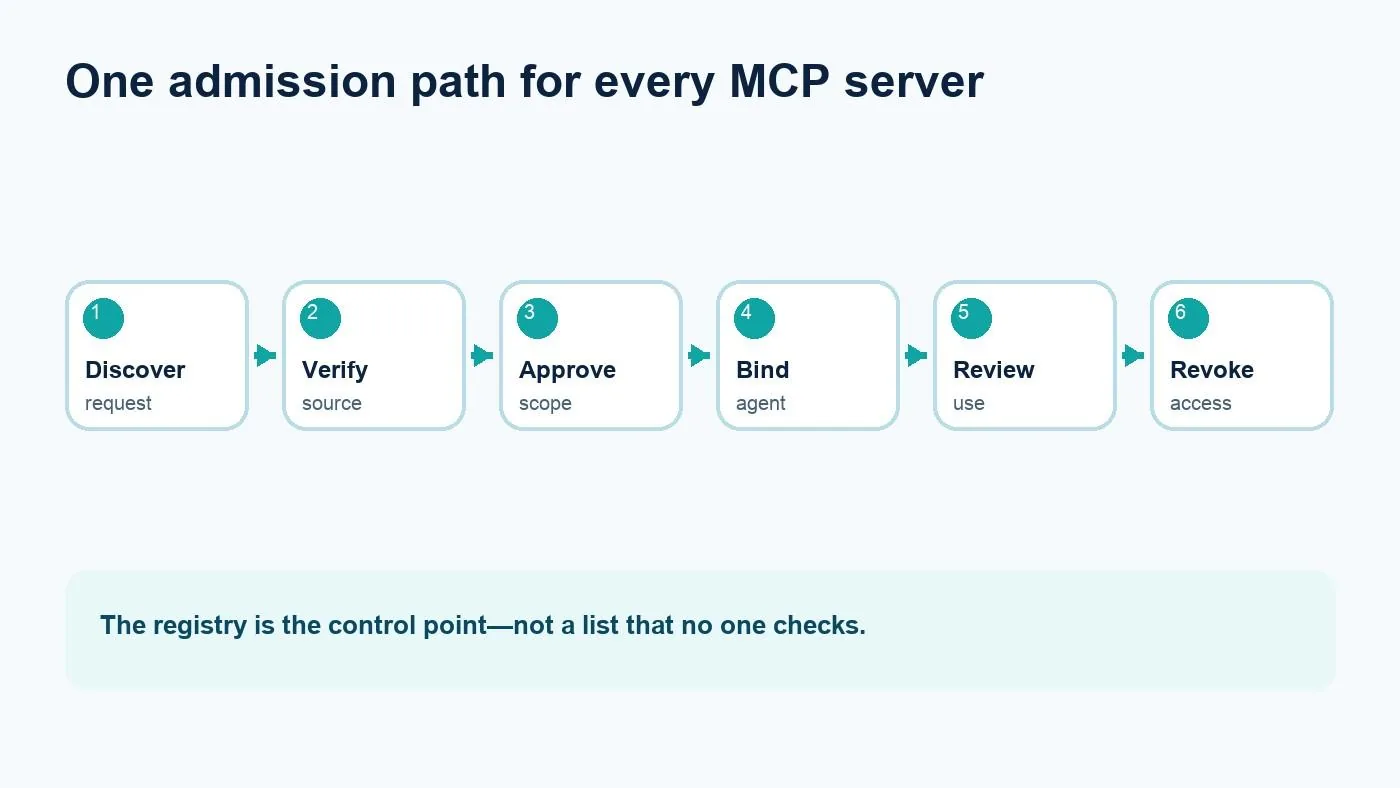
Every new server follows the same checked path before an agent can use it.
- Discover. A developer requests a server and lists the needed tools.
- Verify. The owner checks the source, version, transport, and data path.
- Approve. Security and the service owner approve scopes for one environment.
- Bind. The platform team connects only approved agents.
- Review. The owner checks use, changes, and need on a fixed date.
- Revoke. The team disables the binding, rotates credentials, and records the reason.
Keep the registry as code
A small YAML record is easy to review in a pull request. It also gives automation a stable shape. This example is a policy record, not a full MCP server configuration.
server_id: github-tools
version: 1.4.2
owner: dev-platform@example.com
environment: staging
agents: [issue-triage-agent]
tools: [read_issue, add_comment]
scopes: [issues:read, issues:write]
data: [repository_metadata]
approval: platform-and-security
last_reviewed: 2026-11-11
expires: 2027-02-11
shutdown: disable-binding-and-rotate-token
Three rules prevent registry drift
Pin versions. A version change should trigger a new review when tools, scopes, or data paths change.
Grant access per agent and environment. Do not give every agent every approved server. Start with the smallest set of tools needed for one job.
Set an end date. Owners leave and projects end. Give every entry an expires date. Expired entries should stop new bindings until someone reviews them.
A registry defines approved tool access. Axiom Studio MCP Gateway provides centralized server management, tool-level restrictions, traffic filtering, rate limits, and audit trails through one MCP-compliant gateway. Use the registry as the policy record and MCP Gateway as the enforcement and observability layer. For how a gateway fits between agents and servers, see MCP architecture for enterprise AI coding.
Start with the next server
Do not wait for a perfect catalog. Register the next MCP server before it reaches an agent. Add an owner, pin the version, list the tools and data, approve the scope, and test the shutdown path. Then backfill the servers already in use. A small registry used every time is safer than a large design that no one follows.
Frequently Asked Questions
What should an MCP registry record?
At minimum, record the server ID, version, owner, tools, scopes, data, environment, approved agents, approval rule, last review, expiry date, and disable or rollback path.
Why is an allowlist not enough for MCP servers?
An allowlist says what is permitted, but it does not show who owns a server, which version is running, what data it can reach, when it was reviewed, or how to shut it down.
How should a team approve a new MCP server?
Use one admission flow: discover the server, verify its source and data path, approve the scopes, bind only approved agents, review usage on a fixed date, and revoke access when needed.
Should an MCP registry be stored as code?
Yes. A small YAML record is easy to review in a pull request and gives automation a stable shape for versions, access, approvals, and shutdown actions.
Written by
Axiom Studio