What Is NVIDIA OpenShell? The Runtime Boundary for Agentic Systems
A practical guide to NVIDIA OpenShell: the agent runtime under NemoClaw, how it sandboxes tools, routes models, enforces policy, and compares with agent CLIs.
 AXIOM Team June 2, 2026 11 min read
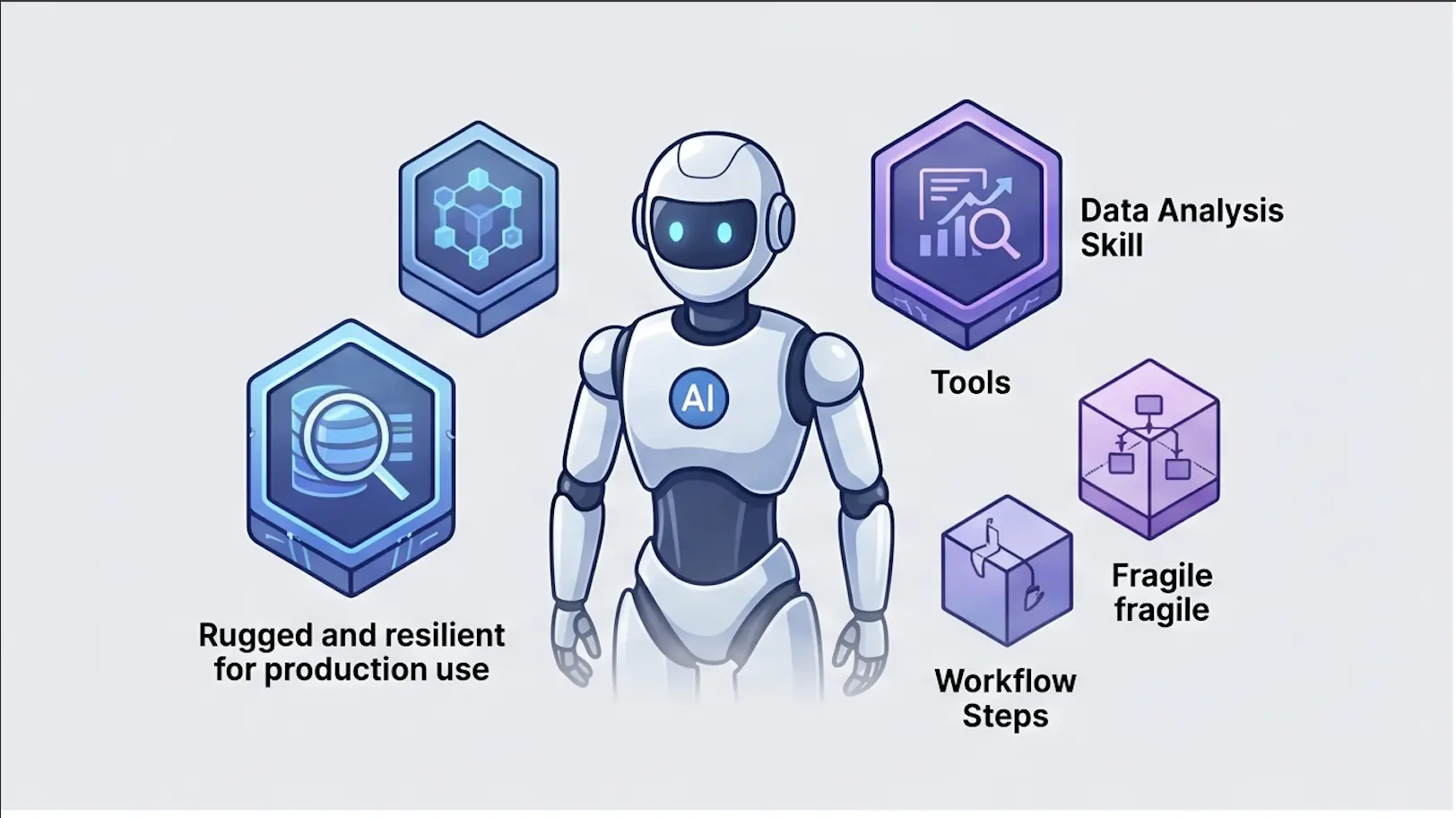
This article is about NVIDIA OpenShell, the agent runtime and execution-control layer used in NVIDIA’s agent stack. It is not about the unrelated Windows desktop shell projects that also use the OpenShell name.
NVIDIA positions OpenShell as the runtime boundary for autonomous AI agents: a place to run tools, enforce policy, route model calls, isolate shell execution, and keep agent actions observable. In the NVIDIA OpenShell technical blog, NVIDIA describes OpenShell as part of the NVIDIA Agent Toolkit and emphasizes out-of-process policy enforcement, granular tool permissions, privacy routing, and sandboxed execution for coding agents and other autonomous systems. The NVIDIA/OpenShell GitHub repository is the primary project identity.
OpenShell also shows up inside NemoClaw. NVIDIA’s NemoClaw docs describe NemoClaw as an open-source reference stack for secure, always-on agents that run inside NVIDIA OpenShell sandboxes. In the NemoClaw architecture docs, OpenShell provides the lower-level runtime pieces: sandbox containers, model/inference proxying, gateway-style credential handling, and policy enforcement. NemoClaw is the opinionated stack above it; OpenShell is the controlled execution surface underneath.
That makes OpenShell strategically important. Agent systems are no longer just chat interfaces. They are beginning to operate tools, inspect repositories, run commands, write files, and call external services. The shell is where model output turns into action. OpenShell exists because that action boundary needs controls.
The Problem: Agents Need A Safer Shell
Most agent demos skip the hardest part: what happens after the model decides to act?
An AI coding agent might inspect files, run tests, install packages, call a CLI, patch code, and push changes. An IT operations agent might inspect logs, call a ticketing system, run diagnostics, restart a service, or notify a team. An internal automation agent might read a document, call an API, transform data, and write a result somewhere else.
Those actions are useful. They are also dangerous if the agent has a raw terminal.
A raw shell gives an agent the ability to:
- Read secrets.
- Delete or overwrite files.
- Install unapproved packages.
- Send data to unapproved endpoints.
- Run commands outside the intended project.
- Escalate from read-only triage into write operations.
- Hide risky behavior inside a plausible natural-language answer.
The model is not the only risk. The runtime is the risk.
OpenShell is designed for this boundary. It gives agents a way to operate tools and shell commands inside a controlled environment, with policy and observability wrapped around execution.
What OpenShell Is
OpenShell is best understood as an agent runtime, not as a general terminal replacement.
It sits between the agent and the action surface:
- The agent proposes or requests an action.
- OpenShell evaluates what the agent is allowed to do.
- The action runs inside a controlled environment.
- The runtime records what happened.
- Policy can allow, deny, route, redact, or require approval.
That is different from a developer opening a terminal and typing commands. It is also different from an IDE extension that simply gives a model access to files.
OpenShell is about turning agent execution into an enforceable interface.
In NVIDIA’s framing, the runtime supports:
- Sandboxed execution so commands do not automatically inherit the whole host environment.
- Granular permissions over tools and actions.
- Policy enforcement outside the model so safety does not depend only on prompt obedience.
- Privacy routing for sensitive model calls or data paths.
- Agent-tool mediation so tool use can be audited and constrained.
- Coding-agent support where shell access is central to the work.
The key phrase is “outside the model.” A prompt that says “do not run destructive commands” is useful but weak. A runtime that blocks destructive commands is stronger.
How OpenShell Relates To NemoClaw
NemoClaw is the broader reference stack. OpenShell is one of the lower-level runtime layers.
In our NemoClaw explainer, we framed NemoClaw as the blueprint that ties together OpenClaw or Hermes orchestration, local/model-routed inference, skills, state, observability, and controlled execution.
OpenShell is where controlled execution happens.
| Layer | Role |
|---|---|
| Nemotron or another model | Reasoning and generation |
| OpenClaw / Hermes | Agent orchestration style |
| NemoClaw | Opinionated reference stack around always-on agents |
| OpenShell | Runtime boundary for shell/tool execution, policies, and sandboxing |
| LLM gateway / governance plane | Cross-runtime routing, audit, cost, approvals, and compliance evidence |
This distinction matters because teams often collapse all agent infrastructure into one word: “agent.” That hides the architecture. A production agent is a stack. OpenShell owns the action boundary in that stack.
OpenShell vs VibeFlow CLI
OpenShell and VibeFlow CLI sit near the same problem space, but they are not the same thing.
VibeFlow CLI is a session orchestrator for AI development agents. It manages tmux sessions, git worktrees, provider lifecycles, and routing through an LLM gateway. It is about launching and managing development-agent sessions across a team.
OpenShell is a runtime boundary for agent execution. It is about what happens when an agent actually touches tools, shell commands, files, and model routes.
| Capability | NVIDIA OpenShell | VibeFlow CLI |
|---|---|---|
| Primary job | Control agent execution boundaries | Launch and manage agent sessions |
| Shell focus | Sandboxed/control surface for tool and command execution | Terminal/session orchestration for agents |
| Model routing | Runtime/gateway style mediation in NVIDIA stack | LLM gateway integration across providers |
| Governance | Policy enforcement at action/runtime layer | Session logs, work item tracking, commits, review flow |
| Best fit | Building controlled agent runtimes | Running multi-agent SDLC workflows |
In practice, the two ideas are complementary. OpenShell is a runtime primitive. VibeFlow is a work orchestration surface. A mature enterprise architecture may use both kinds of controls: runtime containment for actions and workflow governance for delivery.
Delivery Model And Adoption Shape
OpenShell is not best understood as a hosted productivity app. It is infrastructure that teams operate as part of an agent stack.
The public materials point to an open-source project plus NVIDIA-stack integration:
- The GitHub repository provides the project identity and code surface.
- The OpenShell technical blog explains the runtime and policy model.
- The NemoClaw docs show OpenShell installed and used inside the broader NemoClaw reference stack.
- The NemoClaw architecture docs place OpenShell at the sandbox, gateway, inference-proxy, and policy-enforcement layer.
That means the adoption path is closer to “platform engineering” than “turn on a SaaS feature.” A team should expect to configure runtime boundaries, define policies, test model routes, and connect observability before giving agents meaningful privileges.
For small experiments, OpenShell can be used to make agent action safer from day one. For enterprise production, it should be treated like a runner or control-plane component. It needs version pinning, audit review, upgrade testing, and a written permissions model.
The practical question is not just “Can OpenShell run this command?” It is “Can we prove why this command was allowed, what data it touched, what model influenced it, and what happened afterward?”
What Workloads OpenShell Targets
OpenShell is most relevant when the agent needs to execute actions that would be risky if left unconstrained.
Good candidate workloads:
- Coding agents that inspect files, run tests, patch code, or call package managers.
- DevOps agents that run diagnostics, inspect logs, or execute approved runbooks.
- IT agents that query systems, classify incidents, and call controlled tools.
- Workflow agents that need a shell-like surface for multi-step automation.
- Local AI assistants that use private models but still need controlled tool access.
- Research agents that operate in sandboxed environments and need reproducible traces.
Poor candidate workloads:
- Simple chatbots that only answer questions.
- Static content generation.
- Workloads with no tool or shell access.
- Systems where hosted agent tooling already provides sufficient containment.
- Production automation without a separate review/approval process.
OpenShell becomes valuable when the action surface matters. If there is no action surface, it may be unnecessary infrastructure.
Security Considerations
Agent-driven shells deserve the same seriousness as CI/CD runners, production runbooks, and developer workstations.
The risk classes are familiar:
- Prompt injection: The agent reads untrusted content that instructs it to run a command or expose data.
- Secret exposure: The agent can access credentials through files, environment variables, command output, or logs.
- Supply-chain risk: The agent installs or executes unapproved packages.
- Data exfiltration: The agent sends sensitive content to an external model or endpoint.
- Privilege creep: The agent gradually gains more capability than the workflow requires.
- Action ambiguity: A natural-language request maps to a broad command that does more than intended.
OpenShell’s value is that the runtime can enforce controls independently of the model’s intent. But the controls still have to be configured. A sandbox with broad mounts, broad network egress, and broad tool permissions is not much of a sandbox.
Security teams should review:
- Filesystem mounts.
- Network egress.
- Environment variables.
- Tool allowlists.
- Command deny rules.
- Approval thresholds.
- Log retention.
- Redaction behavior.
- Model routing rules for sensitive data.
For a broader threat model, see The CISO’s Guide to AI Agent Security.
Production Checklist
Before granting OpenShell-backed agents write access, verify these controls:
| Control | Question to answer |
|---|---|
| Identity | Which user, service, or workflow is responsible for the action? |
| Least privilege | What is the minimum file, command, network, and tool access the agent needs? |
| Model route | Which models can influence the action, and are sensitive routes blocked or approved? |
| Secrets | Can the agent read secrets directly, or only call approved tools that use them server-side? |
| Approval | Which actions require a human gate before execution? |
| Audit | Is the full command/tool history retained with prompt, model, user, and result metadata? |
| Rollback | Can the team revert the action if the agent makes a bad change? |
| Evaluation | Are agent actions tested against prompt-injection and over-permission cases? |
This checklist is where many agent projects either mature or stall. A runtime boundary helps, but it is not magic. If every action is allowed and every mount is broad, OpenShell cannot compensate for an unsafe policy model.
Start with read-only actions. Add write actions one category at a time. Promote workflows only after the logs show boring, repeatable behavior.
Pick OpenShell When
Choose OpenShell when:
- Your agent must run commands, not just answer questions.
- You need policy enforcement outside the model prompt.
- You want an NVIDIA-aligned runtime primitive under NemoClaw.
- Your agents need sandboxed access to files, tools, or CLIs.
- You want to evaluate local/private model routes without handing agents raw host access.
- Your team can operate and review runtime permissions.
Do not choose OpenShell just to make a prototype look more production-grade. Choose it when the action boundary needs real control.
Where Axiom Fits
OpenShell can make one agent runtime safer. Axiom focuses on governing the broader AI execution system across teams.
The enterprise pattern is layered:
- OpenShell constrains what one agent can execute.
- An LLM Gateway controls model routes, credentials, cost, and telemetry.
- VibeFlow records work sessions, commits, review states, and handoffs.
- AI Studio and workflow controls decide when agent output becomes a reviewed artifact.
If OpenShell becomes one runtime in a larger agent portfolio, the Unified AI Gateway is the place to keep model, tool, and inter-agent controls consistent across hosted agents, CLI agents, NemoClaw experiments, and internal automations.
This matters because no large organization will have exactly one agent runtime. Some teams will use hosted coding agents. Some will use CLI agents. Some will experiment with NemoClaw and OpenShell. Some will build internal automations. The governance layer has to normalize across all of them.
OpenShell is a useful runtime boundary. It should still report into a broader control plane.
The Practical Take
NVIDIA OpenShell is the shell/runtime layer for agentic systems that need to act safely. It is the part of the stack that turns “the model wants to do something” into “the action is allowed, bounded, logged, and reviewable.”
That makes it different from a chatbot, a model, a generic terminal, or a workflow orchestrator. It is runtime infrastructure.
Use OpenShell when agents need real shell or tool execution and when you are prepared to define permissions, routes, and audit behavior. Pair it with gateway routing and workflow governance so the runtime does not become an isolated exception.
Models decide. Runtimes execute. Governance proves what happened.
To connect OpenShell-backed agents to consistent model routing, approvals and audit across your wider agent portfolio, request early access to Axiom.
Frequently Asked Questions
What is NVIDIA OpenShell?
NVIDIA OpenShell is an agent runtime and execution-control layer that is part of the NVIDIA Agent Toolkit. It gives agents a controlled environment to run tools and shell commands, with out-of-process policy enforcement, granular tool permissions, privacy routing and sandboxed execution.
How does OpenShell relate to NemoClaw?
NemoClaw is the opinionated reference stack for secure, always-on agents, and OpenShell is the controlled execution surface underneath it. OpenShell provides the lower-level runtime pieces such as sandbox containers, model and inference proxying, credential handling and policy enforcement.
Why do AI agents need a sandboxed shell instead of a raw terminal?
A raw shell lets an agent read secrets, delete files, install unapproved packages, send data to unapproved endpoints and escalate from read-only work into write operations. OpenShell enforces controls outside the model, so safety does not depend only on prompt obedience.
What is the difference between OpenShell and VibeFlow CLI?
OpenShell is a runtime boundary that controls what happens when an agent touches tools, shell commands, files and model routes. VibeFlow CLI is a session orchestrator that manages tmux sessions, git worktrees, provider lifecycles and LLM gateway routing for development agents, so the two are complementary.
When should a team choose OpenShell?
Choose OpenShell when agents must run commands rather than just answer questions, need policy enforcement outside the model prompt, or need sandboxed access to files, tools or CLIs. It also requires a team that can operate and review runtime permissions.
Written by
AXIOM Team