Measuring AI Code Review Agents: Precision, Recall, Noise
Score an AI code review agent on a labeled test set: precision, recall, acceptance rate, a noise budget and cost per accepted finding, with a worked example.
 Axiom Studio October 26, 2026 7 min read
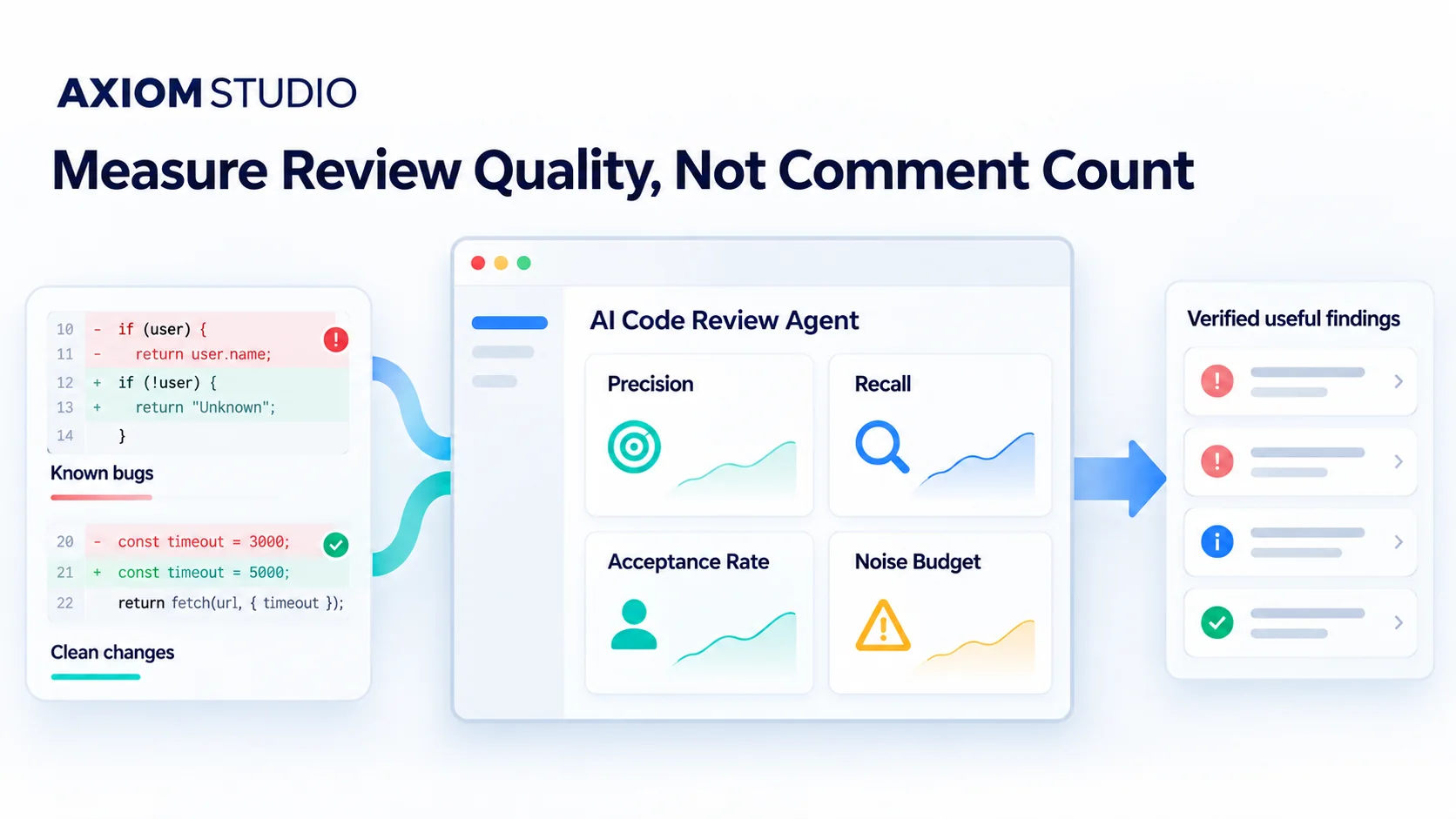
An AI reviewer that leaves twenty comments on a pull request has not found twenty problems. Most teams still judge review agents by how busy they look, and that rewards noise.
A better test needs only a small labeled set of pull requests, some with known bugs and some clean. Run the agent against it, then score it on four numbers: precision, recall, acceptance rate and a noise budget, plus the human minutes it costs per accepted finding.
Start with a labeled test set
Collect ten to twenty pull requests, or PRs, with known answers. Give each one a single purpose and pin it to a fixed revision so every run sees the same code.
Split them into two groups:
- Seeded bugs: changes that contain a fault you planted on purpose, such as a removed access check, a skipped error case, a secret written to a log or the wrong tenant ID.
- Clean changes: changes that should pass the rules you are testing.
Plant faults only in a test repo or a branch that can never merge. For every bug, write down the file, line, trigger, impact and what proof would confirm it. That record is your answer key. Our walkthrough of how a review agent reads a pull request explains why the diff, context, rules and checks must all refer to the same revision.
Define four outcomes
Match every finding the agent raises against the answer key:
| Outcome | Meaning |
|---|---|
| True positive | The agent found a seeded bug and gave enough evidence to verify it |
| False positive | The agent flagged clean code, or made a claim that did not hold up |
| False negative | A seeded bug was present and the agent missed it |
| True negative | The agent stayed quiet on a clean change |
Be strict about matching. A vague warning in the right file is not a hit; the finding has to name the fault, what triggers it and why it matters. When two reviewers disagree on a hard case, settle it and record the reason before you score the tool.
Precision: how often a finding is right
Precision = true positives ÷ (true positives + false positives)
High precision means reviewers waste little time on bad leads. Low precision quietly creates a second review queue. Report the counts with the percentage: “eight useful findings out of ten” says more than “80% precision”.
Recall: how many bugs it caught
Recall = true positives ÷ (true positives + false negatives)
A quiet reviewer can post one correct finding, score 100% precision and still miss nine serious faults. Track recall by bug type as well. An agent that catches missing null checks but misses access-control faults looks fine in a combined score and fails where it matters most.
Recall on seeded bugs is not a production defect rate. Your team built the test set, so the score describes those cases, not every bug your code may contain.
Acceptance rate: did anyone act on it
Acceptance rate = accepted findings ÷ all findings reviewed by people
Decide what “accepted” means before the run. A finding counts when the team changes the code, adds a test that proves the issue, opens a tracked issue for later, or records a deliberate risk decision. A thumbs-up reaction is not acceptance; link each accepted finding to the change, test, issue or decision.
Acceptance is a workflow number as much as a model number. It drops when the agent is noisy, when the rule pack is wrong or when reviewers skip the process, so read a sample of rejected findings before blaming the model.
Noise budget: how much you will tolerate
A noise budget caps the false or low-value comments your team accepts per PR. One team might allow one false alarm per ten PRs for access-control checks and far fewer for style. That is a policy choice, not an industry benchmark.
Set the budget by risk, and count repeated comments with one root cause as a single finding. Ten comments on ten lines can be one rule misfiring. For why bot comments need their own measure, see the AI code review bottleneck: an instant comment can still add hours of checking.
Count the cost of each accepted finding
Quality scores need a price next to them. For each run, record model and tool charges, runtime, retries, human triage minutes, time to reproduce a finding and time to confirm the fix. Then divide by accepted findings to get cost and human minutes per accepted finding.
A cheap run that buries one real bug under false alarms can cost more than an expensive run with a single, well-proven finding. Keep severity beside the cost so nobody compares a typo with a data leak.
A worked scorecard
Here is how the numbers come together for a run of 20 PRs: 12 with seeded bugs and 8 clean. The figures are made up to show the arithmetic; they are not results from Vera or any other tool.
| Measure | Count or result |
|---|---|
| Findings raised | 14 |
| True positives | 9 (of 12 seeded bugs) |
| False positives | 5 |
| False negatives | 3 |
| Precision | 9 ÷ 14 = 64% |
| Recall | 9 ÷ 12 = 75% |
| Accepted findings | 8 of 14 reviewed = 57% |
| Noise | 5 false alarms over 20 PRs = 0.25 per PR |
| Human triage | 70 minutes = 8.75 minutes per accepted finding |
Read it together. Recall of 75% sounds decent until you look at which three bugs were missed. If two of them were access-control faults, the agent fails the test that matters. A noise rate of 0.25 per PR may be fine for security checks and too high for style checks.
Keep the comparison fair
Run every tool on the same base and head revisions, with the same files, rules, time limit and allowed actions. Save the prompts, tool versions and settings; VibeFlow can keep those runs, review gates and decisions together on the work item. When results can vary between runs, run the set more than once and report the spread, not the best run.
Use an isolated runner with test secrets only. Review code can contain unsafe instructions or hooks, so a test job should never reach customer data or production systems. Keep old test cases, but add new ones over time, or prompts and rules will drift toward passing your test instead of reviewing real work.
Takeaways
- Comment count measures activity, not quality. Score review agents against a labeled set of known bugs and clean changes.
- Report precision and recall together, by bug type, with the raw counts beside every percentage.
- Price each accepted finding in human minutes as well as model spend.
Vera, our review agent, states each finding as a trigger, an impact and the evidence, and re-checks the fix on the same pull request, which makes its findings straightforward to score against an answer key. Run your labeled set through Vera AI code review, free on GitHub, GitLab and Bitbucket, and compare the scorecard with the tools you use today.
Frequently Asked Questions
How do you measure an AI code review agent?
Run it against a labeled set of ten to twenty pull requests, some with seeded bugs and some clean, then score precision, recall, acceptance rate, a noise budget and the human minutes spent per accepted finding.
What is the difference between precision and recall for a review agent?
Precision is the share of the agent's findings that are correct. Recall is the share of seeded bugs the agent caught. A quiet agent can score high precision while missing most real faults, so report both together.
What counts as an accepted finding?
A finding counts as accepted when the team changes the code, adds a test that proves the issue, opens a tracked issue for later, or records a deliberate risk decision. A thumbs-up reaction is not acceptance.
What is a noise budget in AI code review?
A noise budget caps the false or low-value comments a team will tolerate per pull request. It is a policy choice set by risk, not an industry benchmark, and repeated comments with one root cause count as a single finding.
Is recall on seeded bugs the same as a production defect rate?
No. Your team built the test set, so recall describes how the agent performed on those cases, not on every bug your code may contain.
Written by
Axiom Studio