Brainstorming With AI Agents: Turn a Rough Idea Into a Buildable Plan
Use a multi-persona AI brainstorm to turn a vague product request into clear options, risks, acceptance criteria, and project work.
 Axiom Studio November 24, 2026 6 min read
On this page
Brainstorming with AI agents means letting product, engineering, security, and quality agent roles review one shared draft over a few rounds, so a rough idea becomes a plan with clear options, risks, and acceptance criteria before any code is written. A named person still approves the final scope.
“Add team dashboards” sounds clear until work starts. Which team? What should the dashboard show? Who can view it? What happens when data is late or wrong?
Starting code from a vague request pushes these questions into the build. That creates rework. A structured brainstorm asks them before an agent opens the first file.
Use several views, not one long prompt
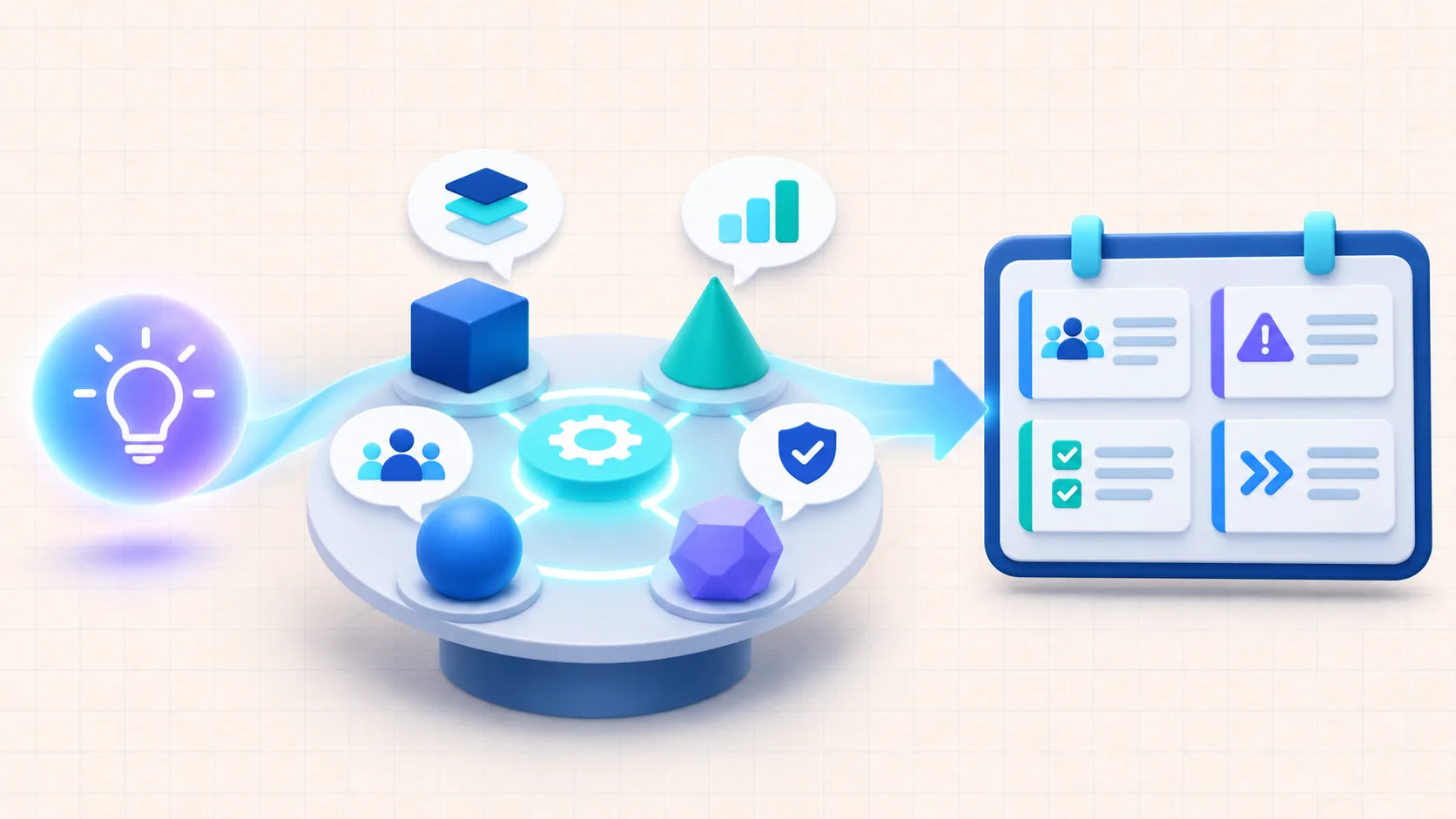
In VibeFlow, a brainstorm session is a structured, multi-persona collaboration on one shared working document. A lead persona owns the draft, the other personas review each round from their own perspective, and the session ends with a finished document attached to the project.
The value comes from the roles. Each role asks a different kind of question:
| View | Question it asks | Useful output |
|---|---|---|
| Product | Who has the problem, and what result matters? | Problem statement and success signal |
| Engineering | What must connect, change, or stay stable? | Options, limits, and dependencies |
| Security | What data, access, or abuse risk appears? | Controls and blocked paths |
| Quality | How will the team know the work is done? | Acceptance and failure cases |
These are working views, not automatic truth. For how each role maps to a full delivery team, see the agent-team model. A person still owns the final scope and trade-offs.
Why this helps: The same draft is checked from several angles before the team commits to a build. Product can catch a missing user need, engineering can spot a hard dependency, and security can flag an access rule. The result is a clearer scope and fewer open questions for the first work item.
Where this pattern fits
This works well for a new dashboard, a change to sign-in, or a customer request that spans several teams. For a dashboard, ask who may see each card and how stale data is shown. For sign-in, ask about recovery, error states, and audit needs. For a cross-team request, map the owner and handoff for each step.
In VibeFlow you start a brainstorm from the project’s Teams Chat page, and the finished document is attached to the project. The work items that follow the decision can point back to it while the team reviews the work. If you are still choosing a tool, our AI brainstorming tool comparison covers the options and security checks.
Run the brainstorm in three rounds
Each round has one job. Keep the same draft across all three so decisions build on each other.
Round one: make the problem concrete
Start with the rough request, the user, the current pain, and known limits. Do not ask for a solution yet. Ask each persona to find missing facts and assumptions.
brainstorm.md

## Problem
Engineering managers cannot see blocked work across active agent sessions.

## Known limits
- Use existing project data
- No new admin role in the first release
- Refresh can be delayed by up to five minutes

## Questions
- Which blockers need action now?
- Who may view each project?
- What happens when session data is stale?
This short draft gives every round the same base. It also makes gaps visible. If the user and problem cannot be stated in two or three lines, coding is early.
Round two: compare options and risks
Ask the personas to propose two or three paths. Keep the options beside each other. A table is better than four separate essays.
| Option | Good fit | Main risk | Decision |
|---|---|---|---|
| Project summary cards | Fast scan across teams | Can hide item detail | Use for the first screen |
| Live event stream | Deep debugging | Noise and access risk | Defer |
| Daily email digest | Low effort for managers | Too slow for active blockers | Optional follow-up |
Record why an option was selected. A final plan without the rejected choices makes later debate repeat from zero.
Round three: turn the choice into testable work
The last round should turn the selected option into acceptance criteria and small work items. Keep each rule observable.
- A manager can see active and blocked items for projects they may access.
- Each blocked item shows an owner, reason, and last update time.
- Stale data is labeled; it is never shown as live.
- Users cannot open details for projects outside their access.
- The empty, loading, error, and partial-data states are covered.
Then create the next project work: confirm data fields, design the card, add the query, enforce access, test stale data, and review the result. Link each item back to the brainstorm so the reason stays with the work.
A simple flow keeps the draft from drifting
- Write one rough request and known limits.
- Let product, engineering, security, and quality views ask questions.
- Resolve missing facts with the human owner.
- Compare a small set of options.
- Choose one path and record why.
- Write acceptance criteria and failure cases.
- Create the first project work items.
Stop condition: the brainstorm is done when the team can explain the user, choice, risks, success test, and next work without guessing.
Keep people at the decision points
Agents are good at widening the question set and finding conflicts. They do not know which business trade-off the team should accept. Ask a product or engineering owner to approve the problem, selected option, data rules, and final scope.
Keep the first brainstorm small. Use one feature, three rounds, and four personas. Review how many useful questions it found, how many assumptions were resolved, and how much scope changed before build. Do not treat fewer comments as proof of success.
A good brainstorm does not produce more prose. It produces a smaller, clearer decision. Use VibeFlow to keep that decision beside the project work, then let coding agents start from a plan the team can test.
Want to try it on a real feature? Request a VibeFlow demo and run your first three-round brainstorm with your own team.
Frequently Asked Questions
What is a multi-persona AI brainstorm?
It is a shared working session in which several agent roles review and refine the same draft over multiple rounds. Product, engineering, security, and quality views ask different questions before the draft becomes a plan.
Which roles should take part in an AI brainstorm?
Start with product, engineering, security, and quality. Product checks the user problem, engineering checks dependencies, security checks data and access risk, and quality turns the decision into observable acceptance and failure cases.
How many rounds should an AI brainstorm use?
A small feature usually needs three rounds: make the problem concrete, compare options and risks, then turn the selected option into testable work. Add rounds only when a decision still has unresolved facts or trade-offs.
When is an AI brainstorm ready to become project work?
It is ready when the team can explain the user, selected choice, risks, success test, and next work without guessing. Each acceptance rule should be observable and link back to the brainstorm that produced it.
How do people stay accountable when agents do the brainstorming?
A named product or engineering owner approves the problem, selected option, data rules, and final scope. Agents widen the question set and find conflicts, but people own the business trade-offs and the decision.
Written by
Axiom Studio