AI Document Processing Workflows With Human Review
Plan AI document processing workflows for healthcare, retail, and insurance, with human review, audit records, and a worked cost example.
 Axiom Studio November 2, 2026 9 min read
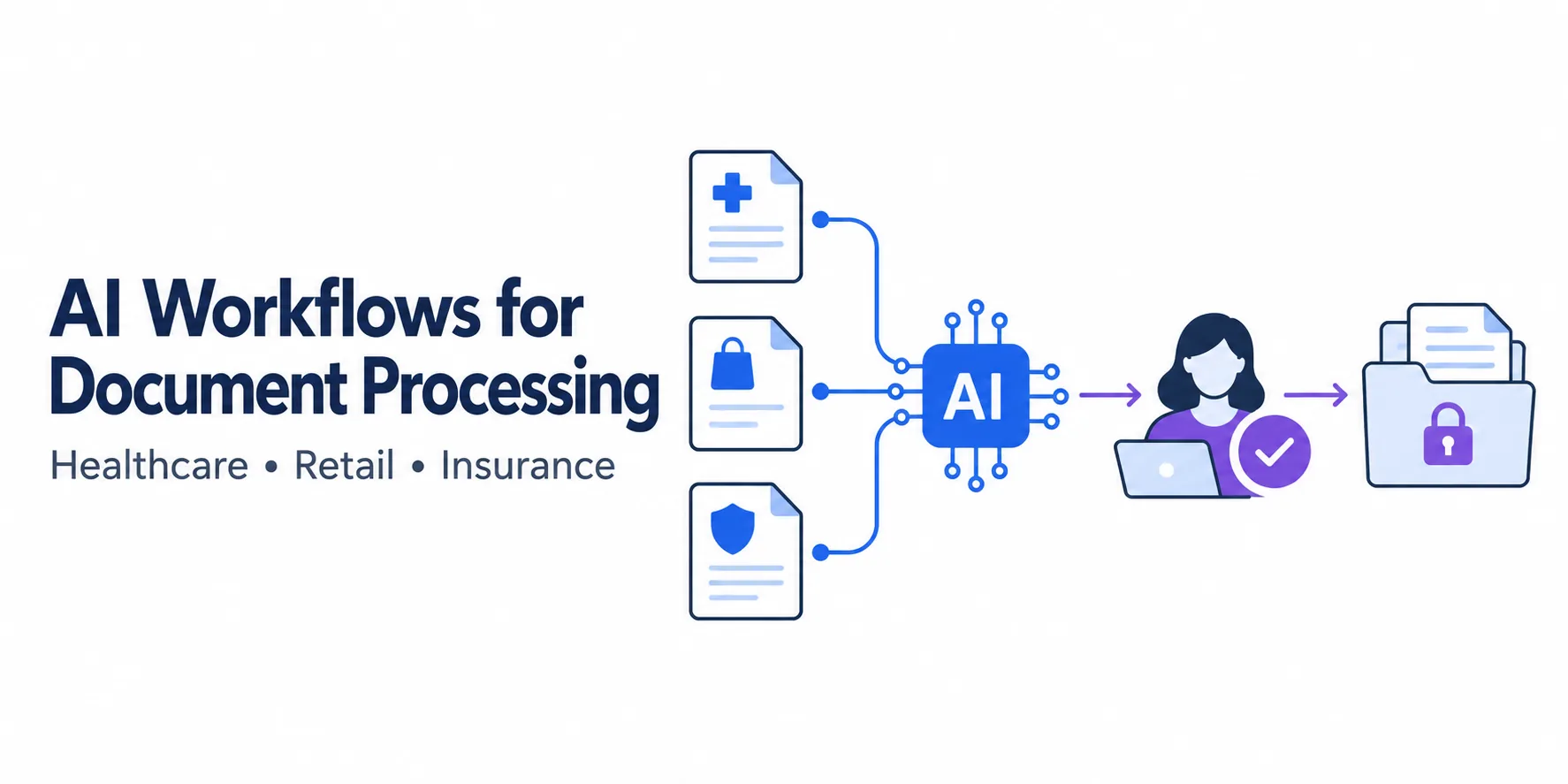
AI document processing workflows can help operations teams read forms and move checked data into business systems. Start with one document type, clear checks, and staff approval.
Measure the time and cost of a completed record, including corrections. Fast extraction has little value if errors leave staff with more work.
This guide is for operations leaders planning document intake across healthcare, retail, or insurance. The examples show how to design a pilot, not results from customer deployments.
TL;DR
- Start with one document type and one named queue owner.
- Use AI to read and check fields, then route uncertain cases to people.
- Keep source pages, corrections, approvals, and save results in the audit record.
- Measure completed records, errors, staff time, and total operating cost.
Table of contents
- Industry examples
- The six-step document workflow
- Data protection and audit records
- Time, cost, and accuracy
- Pilot plan, key takeaways, and FAQ
Industry comparison
| Industry | Example documents | Human decision that stays outside AI |
|---|---|---|
| Healthcare | Referrals, forms, and lab reports | Clinical choices and patient-match approval |
| Retail | Invoices, orders, and return forms | Payment and refund approval |
| Insurance | Claims, estimates, and supporting records | Coverage, fraud, and payment decisions |
One workflow, different documents
Use the same basic steps across teams, then change the fields, checks, and access rules for each task. A clinic needs patient matching; a store needs order matching.
Healthcare
A proposed clinic workflow could sort intake forms, referrals, lab reports, and bills. For a referral, read patient details and flag missing attachments.
Staff should check the patient match and source pages before saving data. Clinical choices stay with qualified care teams.
Retail
For a retail pilot, read invoice numbers, item codes, quantities, and prices. Compare the invoice with the purchase order and delivery record.
If a supplier bills for more units than arrived, route the mismatch to staff before payment. Return forms can follow a similar process, with separate refund approval.
Insurance across product lines
The approach can be adapted to many insurance products:
- Health and dental: organize bills, treatment records, and requests for approval before care.
- Auto: read claim forms, repair estimates, and accident reports; flag missing details.
- Home and property: gather policy numbers, loss reports, repair quotes, and proof of ownership.
- Life and disability: organize application forms, supporting records, and benefit claims for review.
- Travel and pet: sort receipts, cancellation records, medical or vet bills, and claim forms.
- Business and specialty cover: prepare liability, cargo, workers’ compensation, or other claim packets using product-specific checks.
Each product needs its own rules and tests. Reading a document does not prove a loss, establish fraud, or decide coverage. Those decisions belong in a separate, approved process.
The six-step AI document workflow
-
Receive securely. Use an approved channel. Assign a case ID and check for unsafe files or duplicate uploads.
-
Read and sort. Optical character recognition (OCR) turns scanned text into machine-readable text. Use AI to sort files and extract the fields required for the task.
-
Check the data. Compare IDs, dates, quantities, and amounts with trusted records. Keep source links. Flag gaps instead of guessing.
-
Review. Show staff the source page beside the result. Let them fix errors or request missing files.
-
Approve. An authorized person approves the data for the next step. Set separate rules for payments, refunds, clinical choices, and coverage decisions.
-
Save and confirm. Send approved data to the right system. Record whether it was accepted. Keep failed cases open and prevent duplicate entries on retry.
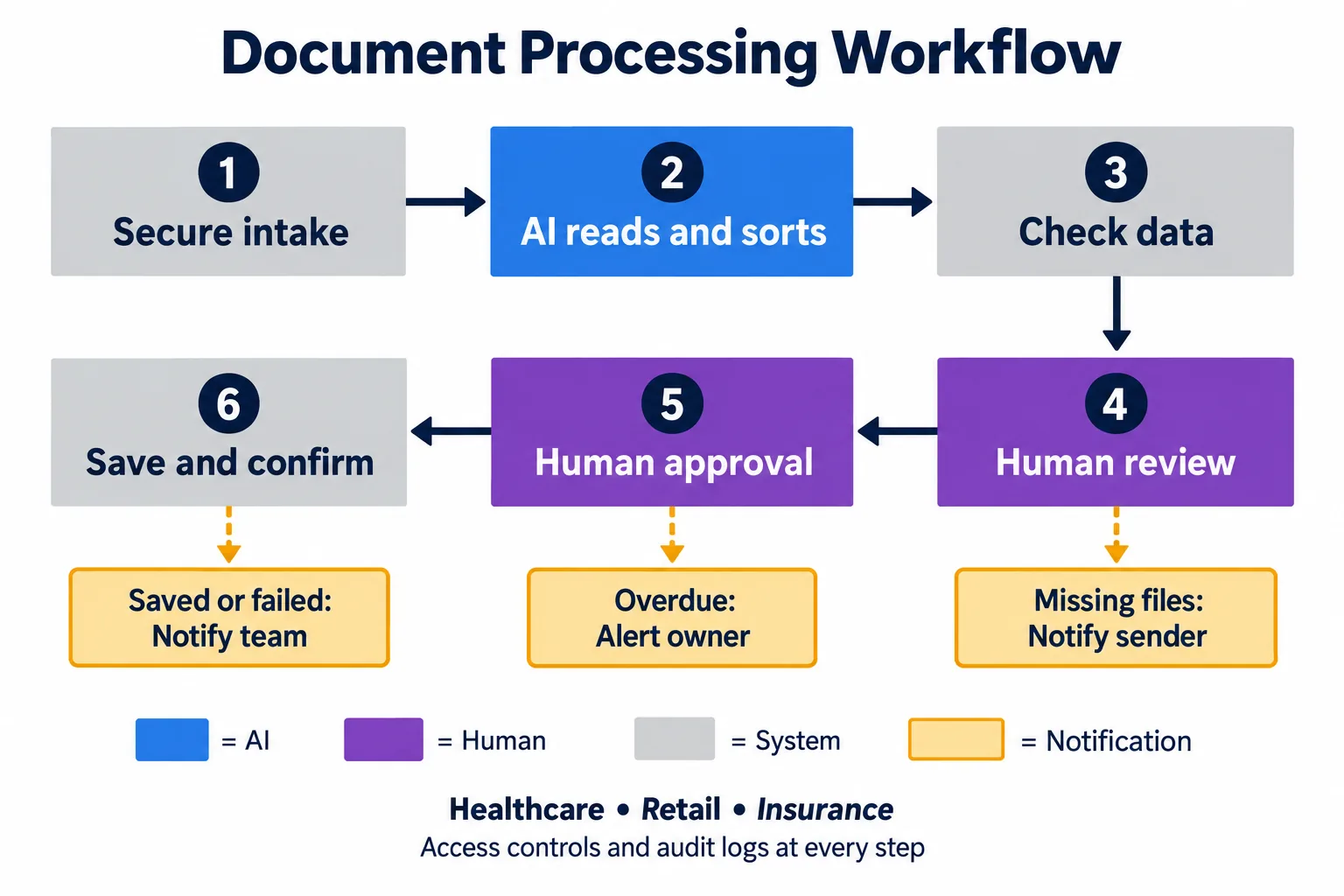
Send alerts for missing files, overdue reviews, and failed saves. Use case IDs and secure links instead of private details.
The diagram uses blue for AI, purple for people, gray for system steps, and amber for alerts.
Protect the data and record each action
Limit access by task. An invoice reader should not gain permission to change bank details. Keep credentials out of prompts.
Encrypt data, review vendors, and set storage and deletion rules. Treat instructions inside uploaded files as untrusted text.
An audit trail records what happened. Include source files, tool versions, failed checks, staff changes, approvals, and save results.
Protect these records from unwanted edits. If a field changes from $8,000 to $800, preserve the source and the reason for the correction.
For organizations covered by HIPAA, the Security Rule requires safeguards for electronic protected health information, including access and audit controls. The HHS Security Rule summary explains these duties.
Review AI risks and required vendor agreements. HIPAA does not apply to every retail or insurance document; the organization, data, and use matter.
How VibeFlow fits
Axiom Studio’s HIPAA guide describes VibeFlow controls for AI coding, including role-based access, change logs, security review gates, and gateway checks for protected data. These controls address how teams build and change software.
Use made-up files to test the app before release. Check blocked access, uncertain matches, and failed saves. Keep results with the code change.
The live document app still needs approved OCR and AI services, vendor terms, access rules, and case logs. VibeFlow alone does not establish compliance.
Compare time, cost, and accuracy
Use a pilot to compare both methods on the same files. The figures below are planning examples, not measured results or VibeFlow claims. Costs and review needs will vary across industries.
Planning example only
Use your own volume, staff cost, review time, exception rate, software cost, and setup cost. The result is an estimate, not a customer outcome or product promise.
| Input | Example value |
|---|---|
| Packets each month | 10,000 |
| Manual time per packet | 12 minutes |
| AI-assisted review time | 2 minutes |
| Exception rate | 20% |
| Extra exception time | 5 minutes |
| Staff cost | $30 per hour |
| Software and operating budget | $5,000 per month |
Assume AI-assisted work needs 2 minutes of staff review per packet. Another 20% need 5 extra minutes for fixes. Average staff time is 2 + (20% × 5) = 3 minutes.
- Manual: 2,000 hours × $30 = $60,000 a month, or $6 per packet.
- AI plus staff: 500 hours × $30, plus a sample $5,000 software and operating budget = $20,000 a month, or $2 per packet.
- Difference: 1,500 staff hours freed and $40,000 lower modeled monthly cost, a 67% reduction.
This is 20 packets per staff hour versus 5 manually, if systems keep up. At 100,000 packets, the same assumptions require 5,000 AI-assisted staff hours versus 20,000 manual hours. Get new software quotes and test system limits at that scale.
No measured accuracy comparison is available for this workflow. Test manual entry, raw AI output, and reviewed output against independently checked answers.
For a calculation example, 100 wrong fields out of 20,000 gives 99.5% field accuracy: 1 − (100 ÷ 20,000). This is not a performance target or result.
Also count wrong IDs, amount errors, and records with any error. Microsoft’s accuracy guidance distinguishes measured accuracy from model confidence and discusses human review.
What ROI means for the business
Assume setup costs $60,000 and the workflow runs at full volume for 12 months. Manual cost is $720,000; AI-assisted cost plus setup is $300,000.
Modeled net savings are $420,000. Define return on investment (ROI) here as net savings divided by total first-year AI-assisted cost. That gives $420,000 ÷ $300,000 = 140%.
Setup payback is $60,000 ÷ $40,000, or 1.5 months after steady use begins. These estimates exclude rollout delays and depend on the stated assumptions.
If half the packets need 5 extra minutes, monthly cost rises to $27,500 under the same software budget. Freed hours become cash savings only when spending falls.
Start small and measure the result
For patients, customers, suppliers, and policyholders, better intake may mean fewer repeat requests and clearer case status. It does not guarantee faster care, payment, or claim decisions.
Choose one document type and a named queue owner. Test poor scans, missing pages, conflicting records, and outages. Track errors, staff time, queue age, and repeat requests.
Expand only after the pilot meets your quality limits and staff can handle the review queue.
Key takeaways
- Count review and correction time when comparing costs.
- Keep access rules, source links, and audit records in the workflow.
- Test each document type before increasing volume.
For a health-data pilot, review Axiom Studio’s HIPAA control mapping with the team building the app.
Ready to test a governed document workflow? Request a demo to discuss your pilot.
Frequently asked questions
What is an AI document processing workflow?
It is a controlled process that receives documents, extracts and checks fields, routes uncertain cases to people, and saves approved data to a business system.
Why is human review needed?
People should review uncertain matches, missing pages, conflicting records, payments, refunds, clinical choices, and coverage decisions.
How should a team measure ROI?
Compare the same files using manual and AI-assisted methods. Include staff review, corrections, software, setup, queue time, and error rates.
Does VibeFlow establish compliance for a document app?
No. VibeFlow can help govern how software is built and changed. The live app still needs approved services, vendor terms, access rules, and case logs.
Frequently Asked Questions
What is an AI document processing workflow?
It is a controlled process that receives documents, extracts and checks fields, routes uncertain cases to people, and saves approved data to a business system.
Why is human review needed?
People should review uncertain matches, missing pages, conflicting records, payments, refunds, clinical choices, and coverage decisions.
How should a team measure ROI?
Compare the same files using manual and AI-assisted methods. Include staff review, corrections, software, setup, queue time, and error rates.
Does VibeFlow establish compliance for a document app?
No. VibeFlow can help govern how software is built and changed. The live app still needs approved services, vendor terms, access rules, and case logs.
Written by
Axiom Studio