Writing Efficient MCP Implementations: Design Considerations
Building an MCP server is straightforward. Building one that works well with LLMs — precise tool descriptions, correct error semantics, smart batching, secure transport — requires deliberate design. Here's what matters.
 AXIOM Team April 4, 2026 11 min read
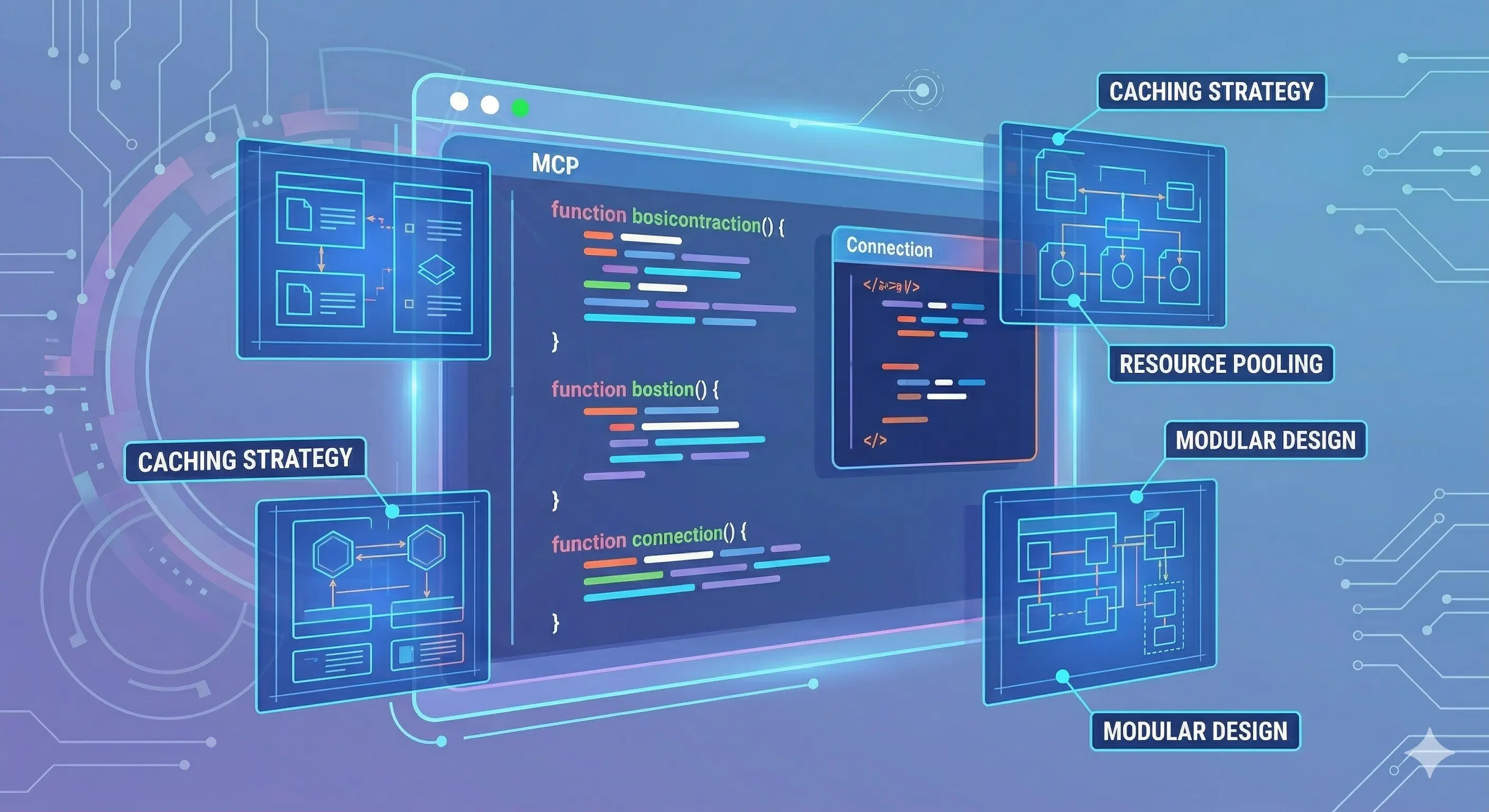
The Model Context Protocol specification tells you what to build. It doesn’t tell you how to build it well. An MCP server that technically conforms to the protocol can still fail the agent that uses it — through vague descriptions that confuse tool selection, error responses that don’t communicate recovery paths, or tool designs that force the LLM to make unnecessary round-trips.
This article covers the design decisions that separate functional MCP implementations from efficient ones.
[IMAGE: Diagram contrasting a poorly-designed vs well-designed MCP tool schema]
1. Tool Description Design
Tool descriptions are the primary interface between your server and the LLM. The model reads your descriptions to decide whether to call a tool and how to call it. Bad descriptions cause bad tool selection. Good descriptions enable precise, efficient usage.
Write for the Model, Not the Developer
A description like “Gets file contents” is technically accurate but useless to an LLM deciding between read_file, read_multiple_files, and search_files. A better description:
// Bad
{
  name: "read_file",
  description: "Gets file contents",
}

// Good
{
  name: "read_file",
  description: "Read the complete contents of a single file. Use when you need to examine the full source of a specific file you already know the path to. For reading multiple files at once, use read_multiple_files. For finding files by content pattern, use search_files first.",
}
The good description does three things:
- States the primary use case
- Clarifies the precondition (“path you already know”)
- Actively steers toward alternative tools when appropriate
This steering is critical. Without it, an agent might call read_file ten times when read_multiple_files would do the same in one call.
Parameter Descriptions Are Part of the Schema
Every parameter needs a description. The LLM reads parameter descriptions to understand how to populate arguments correctly.
// Minimal — forces the model to guess
{
  "path": {
    "type": "string"
  }
}

// Precise — guides correct usage
{
  "path": {
    "type": "string",
    "description": "Absolute path to the file (e.g., /home/user/project/src/main.ts). Relative paths are resolved from the allowed root directory configured at server startup."
  }
}
For enumerated parameters, list valid values in the description:
{
  "format": {
    "type": "string",
    "enum": ["json", "text", "csv"],
    "description": "Output format. Use 'json' for structured data you'll parse programmatically, 'text' for human-readable output, 'csv' for tabular data."
  }
}
[IMAGE: Side-by-side comparison of vague vs precise parameter descriptions]
Surface Constraints Explicitly
If your tool has limits, say so:
{
  name: "search_files",
  description: "Search file contents using regex patterns. Returns up to 100 matches. For large result sets, use a more specific pattern or target a subdirectory with the path parameter. Searches are case-sensitive by default; use (?i) prefix for case-insensitive matching.",
}
An agent that doesn’t know about the 100-match limit might interpret a truncated result as “no more matches” and make incorrect decisions downstream.
2. Tool Granularity: Batch vs Individual
Avoid Forcing Unnecessary Round-Trips
If agents commonly need to read multiple files, provide a read_multiple_files tool in addition to read_file. Without it, reading 10 files requires 10 separate MCP calls — each one requires a full LLM response cycle (the model generates the call, the host executes it, the result is injected back into context, the model generates the next call). This is slow and expensive.
// Enables efficient batch reading
server.setRequestHandler(ListToolsRequestSchema, async () => ({
  tools: [
    {
      name: "read_multiple_files",
      description: "Read the contents of multiple files simultaneously. More efficient than calling read_file multiple times when you need several files. Returns a map of path → contents.",
      inputSchema: {
        type: "object",
        properties: {
          paths: {
            type: "array",
            items: { type: "string" },
            description: "List of file paths to read",
            maxItems: 20
          }
        },
        required: ["paths"]
      }
    }
  ]
}));Guideline: If you observe agents calling the same tool N times in sequence to accomplish what a single tool call could do, add the batch variant.
Don’t Over-Consolidate
The opposite problem: one giant tool that does everything. A file_operations tool with a mode parameter ("read", "write", "list", "search") forces the model to navigate a complex decision tree inside a single tool. Separate tools with clear names are better — the model can see the full list and pick the right one at a glance.
Rule of thumb: One tool per distinct action. Batch variants are acceptable for performance. Mode parameters are a smell.
3. Error Semantics
The MCP specification defines two ways a tool call can fail:
- Protocol-level errors: Returned as JSON-RPC error responses. Used for server-side failures — invalid JSON, unknown tool name, internal crashes.
- Tool-level errors: Returned as a normal result with
"isError": true. Used for expected domain failures — file not found, permission denied, invalid input.
The distinction matters for agent behavior. A JSON-RPC error should terminate the operation. A tool-level error is information the agent can reason about and recover from.
// Tool-level error — agent can try to recover
return {
  content: [
    {
      type: "text",
      text: `Error: File not found at path '${path}'. The file may have been moved or deleted. Try using search_files to locate it by name or content.`
    }
  ],
  isError: true
};
Note the recovery hint in the error message. Agents use error messages to decide next steps. “File not found” with a recovery hint (“try search_files”) produces better agent behavior than “ENOENT: no such file or directory” — which is accurate but offers no path forward.
Error Messages Should Be Agent-Readable
Write error messages that answer: What went wrong, and what should the agent try instead?
// Developer-oriented (bad for agents)
throw new Error("EACCES: permission denied, open '/etc/shadow'");

// Agent-oriented (good)
return {
  content: [{ type: "text", text: "Permission denied: cannot read '/etc/shadow'. This file is outside the allowed directory scope. Only files within '/home/user/project' can be accessed." }],
  isError: true
};
[IMAGE: Error response flow — tool returns isError:true → agent reads message → agent selects recovery action]
4. Idempotency and Side Effects
Mark Destructive Tools Clearly
The MCP specification doesn’t currently have a formal readOnly annotation, but you can communicate destructiveness through naming and description:
// Ambiguous
{ name: "process_file", description: "Process a file" }

// Clear intent
{ name: "delete_file", description: "Permanently delete a file from the filesystem. THIS ACTION CANNOT BE UNDONE. Use only when explicitly instructed to delete, not as part of cleanup or refactoring." }
The all-caps warning in the description is not stylistic excess — it directly influences whether a model decides to call the tool in ambiguous situations.
Idempotent vs Non-Idempotent Operations
For write operations, clearly indicate whether re-running is safe:
{
  name: "write_file",
  description: "Create or completely overwrite a file. IDEMPOTENT — calling multiple times with the same content produces the same result. WARNING: overwrites existing content. Use edit_file to make targeted changes to an existing file without replacing it entirely.",
}
Agents that know a tool is idempotent can retry on failure without risk of duplicate side effects.
5. Transport Choice: stdio vs HTTP+SSE
stdio: Default for Local/Desktop Use
stdio is simpler, more secure (no network exposure), and has lower latency for local operations. Use it when:
- The server runs on the same machine as the host
- The server is designed for a single user/host
- You want zero infrastructure overhead
The TypeScript SDK makes stdio trivially easy:
import { McpServer } from "@modelcontextprotocol/sdk/server/mcp.js";
import { StdioServerTransport } from "@modelcontextprotocol/sdk/server/stdio.js";

const server = new McpServer({ name: "my-server", version: "1.0.0" });

// Register tools...

const transport = new StdioServerTransport();
await server.connect(transport);
HTTP+SSE: For Shared or Remote Servers
Use HTTP+SSE when:
- The server needs to be shared across multiple hosts (e.g., an enterprise tool accessible to all developers)
- The server is cloud-hosted
- The server needs to push events to the client (e.g., long-running task progress)
import express from "express";
import { SSEServerTransport } from "@modelcontextprotocol/sdk/server/sse.js";

const app = express();
const transports = new Map<string, SSEServerTransport>();

app.get("/sse", async (req, res) => {
  const transport = new SSEServerTransport("/message", res);
  transports.set(transport.sessionId, transport);
  await server.connect(transport);
});

app.post("/message", async (req, res) => {
  const transport = transports.get(req.query.sessionId as string);
  await transport?.handlePostMessage(req, res);
});Note: The MCP specification is evolving to support HTTP+Streamable transport (replacing HTTP+SSE) as of the March 2026 spec revision. New server implementations targeting shared/remote deployments should track this update.
[IMAGE: Comparison table: stdio vs HTTP+SSE — complexity, security, use cases]
6. Security Considerations
Input Validation Is Non-Negotiable
Every tool argument must be validated before use. An LLM can be prompted to call your tool with malicious arguments via prompt injection — an attacker embeds instructions in a document or web page the agent reads, and those instructions tell the agent to call your tool in unexpected ways.
// Path traversal protection
function validatePath(requestedPath: string, allowedRoot: string): string {
  const resolved = path.resolve(allowedRoot, requestedPath);
  if (!resolved.startsWith(path.resolve(allowedRoot))) {
    throw new Error(`Path traversal attempt: '${requestedPath}' resolves outside allowed root`);
  }
  return resolved;
}

// Command injection protection (if executing shell commands)
// Never use string interpolation for shell commands
import { execFile } from "child_process";
// BAD: exec(`git log ${userInput}`)
// GOOD: execFile("git", ["log", "--oneline", userInput], ...)
Principle of Least Privilege
Configure servers with the minimum permissions required:
// Filesystem server: restrict to project directory only
const server = new FilesystemServer({
  allowedDirectories: ["/home/user/project"],
  // Not: allowedDirectories: ["/"]
});
Authentication for Remote Servers
HTTP+SSE servers exposed over a network must authenticate clients. The MCP specification supports OAuth 2.0 for remote server authentication. At minimum, validate a pre-shared API key or bearer token on incoming connections.
app.use("/sse", (req, res, next) => {
  const token = req.headers.authorization?.replace("Bearer ", "");
  if (token !== process.env.MCP_API_KEY) {
    res.status(401).json({ error: "Unauthorized" });
    return;
  }
  next();
});
7. Python SDK Patterns
The Python MCP SDK (mcp package) offers a decorator-based API that’s concise for Python-native tools:
from mcp.server.fastmcp import FastMCP

mcp = FastMCP("my-server")

@mcp.tool()
def read_file(path: str) -> str:
    """Read the complete contents of a file.

    Use when you need to examine the full source of a specific file
    you already know the path to. Returns file contents as a string.

    Args:
        path: Absolute path to the file to read

    Returns:
        File contents as a string

    Raises:
        FileNotFoundError: If the path does not exist
        PermissionError: If the file cannot be read due to permissions
    """
    validated = validate_path(path, ALLOWED_ROOT)
    with open(validated) as f:
        return f.read()

if __name__ == "__main__":
    mcp.run()
The docstring becomes the tool description. Type annotations become the input schema. The FastMCP wrapper handles all protocol-level plumbing.
8. Testing Your MCP Server
Before deploying a server that agents will use in production, test it in isolation:
# Use the MCP Inspector for interactive testing
npx @modelcontextprotocol/inspector node dist/server.js

# Or Claude Desktop's developer mode — add server to claude_desktop_config.json
# and observe actual LLM tool selection behavior
The MCP Inspector lets you call tools manually and inspect raw request/response JSON. It’s the fastest way to catch description problems before they reach an agent.
For automated testing, the TypeScript SDK includes an in-memory transport:
import { Client } from "@modelcontextprotocol/sdk/client/index.js";
import { InMemoryTransport } from "@modelcontextprotocol/sdk/inMemory.js";

const [clientTransport, serverTransport] = InMemoryTransport.createLinkedPair();
await server.connect(serverTransport);

const client = new Client({ name: "test", version: "1.0.0" }, {});
await client.connect(clientTransport);

const result = await client.callTool("read_file", { path: "test.txt" });
[IMAGE: MCP Inspector UI screenshot placeholder]
Summary Checklist
Before shipping an MCP server:
- Every tool description answers: when should I use this, and when should I use something else instead?
- Every parameter has a description explaining valid values and format
- Constraints (size limits, allowed values) are stated in descriptions
- Batch variants exist for operations agents commonly do in loops
- Tool-level errors (
isError: true) include recovery hints - All inputs are validated before use (path traversal, injection)
- Server is scoped to minimum required permissions
- Remote servers require authentication
- Destructive operations are clearly labeled in descriptions
Further Reading
- MCP Specification — authoritative protocol reference
- MCP TypeScript SDK — official TS implementation with examples
- MCP Python SDK (FastMCP) — official Python implementation
- MCP Inspector — interactive tool testing
- Reducing Token Utilization When Building MCP Tools — companion article on token efficiency
- What is MCP? How LLMs Use the Model Context Protocol — protocol fundamentals
Written by
AXIOM Team