n8n for AI: What It Is and Why It Suddenly Matters
n8n started as an open-source Zapier alternative. Then 2024 happened, and it became one of the most-downloaded AI orchestration tools on the planet. Here is what changed and where it fits in an enterprise stack.
 AXIOM Team May 8, 2026 11 min read
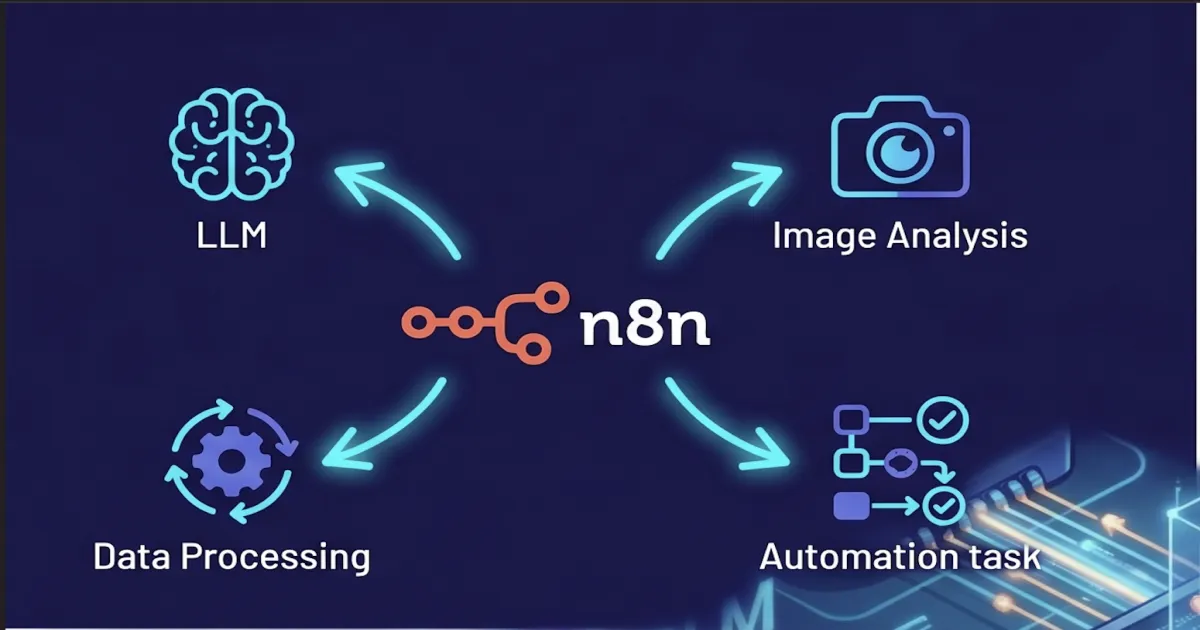
For most of its life, n8n was an open-source workflow automation tool that competed with Zapier and Make for the “wire 80 SaaS apps together with no code” market. Engineering teams liked it because they could self-host it. Ops teams liked it because it could replace a sprawling Zap account that nobody wanted to audit. Nothing about that pitch screamed “AI platform.”
Then 2024 happened. Inside of twelve months, n8n shipped first-class LangChain integration, an AI Agent node with native tool calling, vector store nodes for the major databases, a chat model node for every serious provider, and a steady drumbeat of RAG-shaped templates. By the end of 2025 the project was one of the most-starred AI orchestration repositories on GitHub and the AI nodes were carrying a disproportionate share of new workflows on n8n Cloud. The pivot worked.
This post is for the enterprise reader trying to figure out what to do about that. n8n is now a real AI tool, not just an automation tool with an OpenAI node bolted on. It is also still a general-purpose automation platform, with all the trade-offs that implies. Knowing where it is excellent and where it is the wrong abstraction will save your team a couple of quarters of detours.
What n8n Is in 2026
n8n is an open-source workflow automation platform that lets you build integrations on a visual canvas. You drag nodes onto the canvas, wire them together, and the platform runs the resulting workflow on a trigger or a schedule. It was started in 2019 by Jan Oberhauser in Berlin, and the codebase is licensed under the Sustainable Use License — what the team calls “fair-code,” which means you can self-host and modify the project freely for internal use, but you cannot resell n8n itself as a competing service.
Three things distinguish it from the SaaS-only crowd. First, you can run it on your own infrastructure — Docker, Kubernetes, even a VM — with no licensing call required. Second, every workflow is just a JSON document under the hood, which means you can export it, diff it, commit it, and load it on another instance. Third, when the visual nodes do not cover something, a Code node drops you into JavaScript or Python inline. None of those are revolutionary on their own; together they make n8n the version of this category that engineering organizations consistently end up choosing once they grow past Zapier’s ceiling.
The deeper context on the platform itself — the canvas, the architecture, the deployment shape — lives in our /learn/what-is-n8n explainer. The rest of this post is about the AI half of the story.
How n8n Became an AI Orchestration Tool
The pivot started with a single integration: in early 2024 the team merged a LangChain-backed family of nodes that mirrored the Python LangChain primitives almost one-to-one. Chat model nodes for OpenAI, Anthropic, and Google; document loaders; text splitters; vector store wrappers; retrievers; memory; output parsers. Crucially, the family includes an AI Agent node — a single visual node that takes a system prompt, a chat model, and a set of tools, and runs the agent loop end-to-end.
The AI Agent node is the one that turned the ecosystem around. Before it, building an agent in n8n meant manually wiring a loop with conditional branches and remembering to thread state correctly. After it, you drop a node, attach a chat model, attach tools (any other n8n node can be a tool), and you have an agent. The same agent loop you would build in Python with LangChain or LangGraph, exposed as a single click. For a vast number of use cases, this removed the need to write any agent code at all.
Around that core, the platform now ships:
- Chat model nodes for OpenAI, Anthropic Claude, Google Gemini, Mistral, Cohere, Groq, Azure OpenAI, plus self-hosted via Ollama or any OpenAI-compatible endpoint.
- Vector store nodes for Pinecone, Qdrant, Supabase, Postgres
pgvector, Weaviate, and an in-memory store for prototyping. - Document handling nodes — loaders for files, URLs, S3, and a long tail of third-party connectors; splitters by tokens or characters; embedding nodes wired to the same provider list as the chat models.
- Memory nodes for conversation history (short-term) and vector-backed long-term memory.
- Tool nodes — any HTTP, database, SaaS, or
Codenode can be exposed to an agent as a callable tool, with the schema generated automatically from the node configuration.
Together those primitives make n8n a credible substitute for hand-rolled Python agent code in a wide band of workloads. You give up some control and gain a lot of velocity — usually a fair trade for the “ship the first version this week” phase of an AI project.
The AI Patterns Teams Actually Build
Almost every n8n AI workflow we have seen in the wild collapses into one of four shapes. The shapes correspond to where the LLM sits in the data flow.
1. RAG-backed Q&A and support agents
The most common shape. A trigger receives a question, the workflow embeds the query, retrieves top-k chunks from a vector store, and asks an AI Agent to answer with citations. Indexing happens on a separate scheduled workflow that loads the corpus, splits it, embeds it, and writes to the vector store. Both halves of the pattern fit on a single canvas:
flowchart LR
    subgraph Indexing["Indexing (scheduled)"]
        A1[Document Loader] --> A2[Text Splitter]
        A2 --> A3[Embeddings]
        A3 --> A4[(Vector Store)]
    end
    subgraph Query["Query (per request)"]
        B1[Webhook Trigger] --> B2[AI Agent]
        B2 --> B3[Vector Retriever]
        B3 -.-> A4
        B2 --> B4[Respond to Webhook]
    end
Most teams pick this as their first AI workflow because the value is measurable from week one — deflected support tickets, faster internal Q&A. For deeper context on the retrieval side, see What is RAG?.
2. AI-augmented data pipelines
Read rows from a database or a CSV, classify each with an LLM, write the result back. n8n’s item-based execution model is purpose-built for this shape: a node that returns 10,000 items causes the next node to run 10,000 times automatically. Sentiment classification, intent tagging, PII detection, lead scoring, and summarization workflows all fall into this bucket. The cost shape is the operational problem — 10,000 LLM calls is not cheap, and n8n itself does not give you per-token cost rollups out of the box.
3. Triage and routing agents
Inbound email or a fresh Jira issue lands in a workflow. An LLM categorizes it, decides who should own it, optionally drafts a first response, and assigns the ticket. Humans approve or override. This is where most enterprises hit governance limits and start asking what the audit trail looks like, because the LLM is now the de facto first-line decision-maker.
4. Webhook-driven action triggers
A Slack message, a webhook, or a form submission triggers an AI Agent that decides which tools to call. The agent might query a database, post to a system, write a record, send an email — whatever the toolset exposes. This shape is what most people mean when they say “an agent.”
The reason all four patterns are easy in n8n is the same: the canvas removes the glue code. The reason the same patterns get harder at scale is also the same: there is no glue code, so there is also nowhere natural to put the audit trail, the cost meter, or the policy gate.
What n8n Is Genuinely Good At
Three things, in order:
Speed of prototyping. A working RAG demo over your docs is a 30-minute exercise on n8n once the credentials are configured. The same demo with hand-rolled LangChain code is a half-day to a full day before you fight the first dependency conflict. The economic argument for n8n is almost entirely about how cheaply you can validate an idea.
Breadth of connectors. Hundreds of integrations cover every meaningful SaaS app, database, queue, and storage backend. When the AI part of an idea needs to read from Salesforce, write to Notion, post to Slack, and file a Jira ticket, the hard part is rarely the LLM call — it is the SaaS plumbing around it. n8n turns that plumbing into a few node configurations.
Self-hosting in real use. Most platforms claim they can be self-hosted. Few of them are pleasant to operate. n8n is a real Docker image with a real Kubernetes story, a real database (SQLite for dev, Postgres for production), and real queue-mode horizontal scaling with workers. Teams that need their AI workflows to run inside their own VPC for data-sovereignty reasons have a viable path. The deeper architecture — editor, queue, workers, database — lives in our /learn explainer.
Where n8n Hits Limits in Regulated AI
The same things that make n8n fast also make it the wrong system of record for AI activity once compliance enters the picture. Four limits in roughly the order teams hit them:
Token-cost observability is shallow. Each LLM node runs and returns a result. There is no built-in per-team, per-workflow, per-model rollup of token spend that you can show to finance. You can build it — with Code nodes and a side database — but you should know going in that you are building.
The audit trail is workflow-shaped, not model-call-shaped. n8n records that a workflow ran, what each node returned, and how long it took. It does not record “at 14:02 user X asked the model exactly this prompt and got exactly this response” in a normalized, queryable trail across all workflows. SOC 2 CC7.2 evidence, ISO 27001 A.12.4 evidence, and EU AI Act technical documentation all expect the model-call shape, not the workflow shape.
There is no built-in policy enforcement. No PII redaction at the node boundary. No content filter that runs before every LLM call. No allowlist that prevents an AI Agent from calling a tool the user is not entitled to. You can wire those in, again with Code nodes and external services, but the platform does not opinionate on them.
Versioning is workflow JSON, not git-native code. Workflows live in the n8n database. You can export them and commit them to a repo, but the canonical source of truth is the database, not git. That is fine for ops automation; it is awkward for AI workflows that need PR review, semantic diffs of prompt changes, and rollback to known-good versions.
None of these are reasons to avoid n8n. They are reasons to know where the governance layer goes when you adopt it.
How to Place n8n in an Enterprise AI Stack
The healthiest pattern we see is a two-layer split. n8n owns the integration plumbing and the rapid-prototype layer. A dedicated platform owns the audit trail, policy enforcement, and the governed-agent surface. The two layers talk over webhooks, and neither tries to be the other.
That is how Axiom’s LLM Gateway is designed to be deployed. Point n8n’s chat model nodes at the gateway URL instead of the provider URL, and every prompt and response from every workflow lands in one normalized OpenTelemetry trace with cost attribution per workflow, policy enforcement on the way out, and audit-grade evidence for every call. No workflow rewrites. The gateway is one environment-variable change.
When the workload outgrows n8n’s shape — when an “agent that happens to have a workflow” starts to be more accurate than a “workflow that happens to call an LLM” — Axiom AI Studio is where the governed-agent half lives. The two stacks frequently coexist, and we recommend that pattern explicitly. We will go deeper on n8n vs Axiom AI Studio in a separate post; for the short version, the choice is about whether the dominant axis of your problem is integration breadth or agent depth.
The Take
n8n in 2026 is one of the most under-appreciated AI orchestration tools because the people who know it best still describe it as a workflow automation platform. The reality is that the AI surface area is now deep enough to carry production workloads, the prototype-to-pilot path is dramatically shorter than rolling Python by hand, and the open-source plus self-host story is genuinely first class.
What n8n still needs from elsewhere is the governance layer. That layer should not live inside n8n — it should live in front of it. Get that combination right, and n8n becomes a force multiplier for an AI program; get it wrong, and you are six months into a hundred ungoverned workflows trying to retrofit an audit trail.
Use the velocity. Add the gateway. Plan the graduation path before you need it.
Written by
AXIOM Team