On this page
What is Model Context Protocol (MCP)?
The open standard for how AI agents discover, authenticate to, and use tools — and why governance matters.
10 min readAI Agents
MCP Protocol
Standard Interface
MCP Servers
Why AI Agents Need Tools
AI models are powerful reasoners, but they cannot take action alone. A language model can explain how to query a database, but it cannot actually run the query. It can draft a Jira ticket, but it cannot create one. It can analyze code, but it cannot search a codebase. To bridge the gap between reasoning and action, AI agents need tools.
The evolution of tool use in AI has been rapid. Chat completions gave models the ability to converse. Function calling let models declare intent to call predefined functions. Tool use expanded this to dynamic tool selection. But each integration was custom — every agent-tool connection required bespoke code, custom authentication, and manual schema definitions.
Consider a typical AI agent workflow: a coding agent needs to read a database to understand the schema, search a codebase to find relevant files, create a Jira ticket for tracking, send a Slack notification to the team, and write code with the correct context. Without a standard protocol, each of these integrations requires separate implementation, separate credential management, and separate error handling.
The integration problem
What Is MCP
The Model Context Protocol (MCP) is an open standard created by Anthropic that defines how AI agents discover, authenticate to, and use tools. Released under the Apache 2.0 license, MCP provides a universal interface between AI agents and the tools they need — much like USB provides a universal interface between computers and peripherals.
MCP defines four core capabilities. Tool Discovery lets agents find available tools and their schemas automatically — no hardcoded tool lists. Tool Invocation provides a standardized request and response format for calling tools, regardless of the underlying implementation. Resource Access enables read-only access to data sources like files, databases, and APIs. Prompt Templates offer reusable prompt patterns for common tool interactions.
AI Agents
Claude Code, Cursor, Windsurf, custom agents with MCP client
MCP Protocol Layer
Standard discovery, invocation, and resource access
MCP Servers
Tool wrappers exposing services via the MCP protocol
The protocol has three key components. An MCP Server wraps a tool or service and exposes it via the MCP protocol — there are servers for databases, GitHub, Slack, file systems, and hundreds more. An MCP Client is built into agents like Claude, Cursor, and Windsurf to discover and call MCP servers. The Transport Layer handles communication between client and server via stdio, HTTP/SSE, or WebSocket.
How others approach tool use
- OpenAI Function Calling — Proprietary tool-use protocol that only works with OpenAI models. No standard for tool discovery or multi-agent tool sharing across vendors.
- LangChain Tools — Framework-level tool abstractions in Python and JavaScript. Not a protocol — a library. Doesn't solve cross-agent tool sharing or governance.
- Toolhouse — Tool hosting platform that pre-packages tools for LLM agents. Proprietary and vendor-specific, not an open standard.
How Axiom differs
MCP is protocol-level, not framework-level or vendor-locked. Unlike OpenAI's proprietary function calling or LangChain's library abstractions, MCP works across any agent and any tool. Axiom's MCP Gateway adds the enterprise governance layer that the open protocol deliberately leaves to implementors.
How MCP Works
An MCP interaction follows four steps: discovery, selection, invocation, and response. Understanding this flow is essential for both implementing MCP integrations and designing governance around them.
1. Discovery
Tool schemas (JSON)2. Selection
Choose: get_issue()3. Invocation
{status: "In Progress"}4. Response
"PROJ-123 is In Progress"Step 1 — Discovery: When an agent connects to an MCP server, it requests the list of available tools. The server responds with a JSON schema describing each tool's name, description, and parameters. This is automatic — the agent doesn't need to know what tools exist in advance.
Step 2 — Selection: The agent's underlying LLM analyzes the user's request against the available tool schemas and decides which tool to invoke. This is the AI reasoning step — the model matches intent to capability.
Step 3 — Invocation: The agent sends a structured tool call request with parameters to the MCP server. The server executes the tool (queries the database, calls the API, reads the file) and returns the result in a standardized format.
Step 4 — Response: The agent incorporates the tool result into its reasoning context and continues generating a response. It may invoke additional tools, ask follow-up questions, or provide the final answer to the user.
get_issue tool, invokes it with the ticket key, receives the status and assignee, and responds: "PROJ-123 is currently In Progress, assigned to Alice."The MCP Ecosystem
The MCP ecosystem is growing rapidly, with hundreds of MCP servers and a widening set of compatible agents. This growth reflects the protocol's core value proposition: build a tool integration once, and every MCP-compatible agent can use it.
Official MCP Servers
Anthropic maintains official MCP servers for common tools: Filesystem (read/write local files), Git (repository operations), GitHub (issues, PRs, repos), PostgreSQL (database queries), Slack (messaging), Google Drive (document access), and Brave Search (web search). These serve as reference implementations for the protocol.
Community Servers
The community has built MCP servers for Jira, Confluence, Linear, Notion, Stripe, Kubernetes, Docker, AWS, GCP, and many more. Organizations also build custom internal MCP servers to expose proprietary tools, internal APIs, and domain-specific knowledge bases to their AI agents.
Compatible Agents
MCP client support spans the major AI agent ecosystem: Claude Desktop and Claude Code from Anthropic, Cursor and Windsurf among AI code editors, Continue and Zed in the open-source editor space, and custom agents built using official SDKs in Python, TypeScript, Kotlin, and Go. Any agent with an MCP client can use any MCP server — the protocol is completely agent-agnostic.
Security Challenges
MCP's power — letting any agent call any tool — is also its greatest security risk. Without governance, MCP deployments create an expanding attack surface that traditional security tools were not designed to address.
Prompt Injection
User → AgentAgent tricked into calling destructive tools
Credential Exposure
Agent → ServerAPI keys scattered across MCP servers
Unauthorized Tool Use
Agent → ServerAny agent can call any tool without RBAC
Data Exfiltration
Server → ExternalMalicious server sends data to unauthorized endpoints
Resource Exhaustion
Agent → ServerRunaway agent floods tools with requests
Credential sprawl is the most immediate risk. Each MCP server holds its own credentials — API keys, database passwords, OAuth tokens. In a typical deployment with 20 MCP servers, that's 20 or more sets of secrets distributed across server processes, any one of which could be compromised.
No central access control means any agent that can connect to an MCP server can call any tool it exposes. There is no built-in role-based access control, no least-privilege enforcement, and no way to restrict which agents can use which tools.
Prompt injection leading to tool abuse is a critical concern. A malicious prompt could trick an agent into calling a destructive tool — executing a DELETE FROM users via a database tool, or sending confidential data through a messaging tool.
No audit trail results from direct agent-to-server connections. Without a centralized intermediary, there is no unified log of who used what tool, when, with what parameters, and what the result was. Compliance teams cannot answer basic governance questions.
MCP Governance
An MCP Gateway solves the security challenges by inserting a governed layer between agents and MCP servers. Instead of agents connecting directly to tool servers, all MCP traffic flows through the gateway — which authenticates, authorizes, inspects, and logs every tool invocation.
Centralized Credential Storage
The gateway holds all tool credentials in encrypted storage. Agents authenticate to the gateway using identity tokens — they never see or hold provider API keys, database passwords, or OAuth secrets. Credential rotation happens in one place, not across dozens of MCP server configurations.
Tool-Level Access Control
Define which agents and users can access which tools with role-based access control at the tool and method level. A coding agent might access GitHub and file system tools but be blocked from database write operations. A data analyst agent might query databases but not modify infrastructure tools.
Request Filtering
Inspect and validate tool call parameters before execution. Block dangerous operations — reject SQL statements containing DROP or DELETE, prevent file system operations outside approved directories, restrict API calls to read-only methods for certain agent roles.
Immutable Audit Trail
Every tool invocation is logged with the agent identity, tool name, full parameters, result, timestamp, and cost. This creates the compliance-ready audit trail that direct MCP connections cannot provide — answering who called what tool, when, why, and what happened.
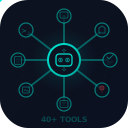
The enterprise control plane for AI tool access
Axiom's MCP Gateway sits between your agents and MCP servers. Agents discover tools through Axiom — never connecting directly to backend services. Every tool call is authenticated, authorized, logged, and policy-checked. Zero-trust tool governance for the agentic era.
Compatible Agents & Tools
MCP is agent-agnostic — any agent with an MCP client can use any MCP server. This interoperability is the protocol's fundamental value: build a tool integration once, and the entire agent ecosystem can use it.
The compatibility matrix is expanding monthly. On the agent side, first-party support includes Claude Desktop, Claude Code, Cursor, Windsurf, Continue, and Zed. SDK support in Python, TypeScript, Kotlin, and Go enables custom agent development. On the tool side, official and community MCP servers cover databases (PostgreSQL, MySQL, MongoDB), version control (Git, GitHub, GitLab), project management (Jira, Linear, Notion), communication (Slack, Discord), cloud infrastructure (AWS, GCP, Kubernetes), and dozens of specialized services.
Organizations building custom AI agents should consider MCP as the default tool integration protocol. An agent built with MCP support today can use any MCP server released tomorrow — without code changes. This future-proofing is critical as the ecosystem of available tools grows.
Getting Started with MCP
Getting started with MCP involves three steps: connect an MCP server to your agent, verify the integration works, and then add governance as you scale.
Step 1: Connect Your First MCP Server
Start with a low-risk MCP server like the Filesystem or GitHub server. Configure your agent (Claude Desktop, Cursor, or a custom agent) to connect to the server. The agent will automatically discover available tools and begin using them in response to user requests.
Step 2: Verify and Expand
Test the integration with real workflows. Add more MCP servers as your use cases expand — database access for data analysis, project management tools for workflow automation, cloud infrastructure tools for DevOps agents. Each new server is automatically discoverable by your agents.
Step 3: Add Governance
As your MCP deployment grows beyond a single developer's workstation, governance becomes essential. Deploy an MCP gateway to centralize credentials, enforce access control, and create audit trails. This transition from direct connections to governed connections is the critical step for enterprise adoption.
From experimentation to enterprise-grade MCP
Axiom's MCP Gateway lets you start with governance from day one. Connect your MCP servers behind the gateway, configure access policies, and every agent interaction is automatically authenticated, authorized, and audited. Scale from one tool to hundreds without sacrificing security.
Ready to govern your AI agent tools?
Axiom's MCP Gateway provides centralized credential storage, tool-level access control, request filtering, and immutable audit trails for every MCP tool invocation.
Contact Us